FreeSO in true 3D

The Impossible

30 August 2017
Play

EDIT: The update has been available since last Friday. You can check it out by downloading the latest update from FreeSO servers, then following the instructions later in this post!

Three years ago, any chance of anyone reviving The Sims Online looked very slim. Any existing project seemed to either fall off in activity, be a hoax in the first place, or burn hopeful fans with controversial donations for a server that was never meant to be. Despite all the ruckus, three years ago is when we got the first glimmer of hope that TSO would be back again - a convincing UI recreation of the initial few screens of the game including Create A Sim, with a lot of backend work to load important game content. Developed by Afr0 and ddfczm, this recreation was called Project Dollhouse, and it’s what inspired me to work towards this same goal. Despite exciting developments in SimAntics emulation by me and ddfczm, with ingame footage of TSO objects somewhat working, this community stayed at only a few members - nobody believed anymore in TSO ever returning. Our community slowly grew as I implemented the online sandbox mode and split into FreeSO, and people finally started believing that it was possible. The launch into beta was a spectacular surprise.

Today, we’ve almost done it. It has been a heck of a long journey, and finally people don’t have to believe in something anymore - it’s right here. A fully re-implemented TSO client and server is available for all to use, with source available so it can be developed further by anyone in the future, maybe tens of years from now. The ability to play TSO will never truly disappear, thanks to the efforts of its community.

Recently, I attempted to port The Sims 1 to mobile by myself, something many users never would have believed would work until recently. Unfortunately this was not meant to be, but I demonstrated that it was never impossible, and that it can even be done well by an independent developer.

To keep up with my trend of doing stupid things nobody believes in, I decided to make good on a crazy idea I shared three years ago, and have even mocked on one april fools since it felt so unfeasible at the time. I had an idea that The Sims and The Sims Online could potentially be rendered and playable in 3D, in real time, using mesh reconstruction techniques. Our next update will have an experimental mode showing that this is indeed possible!

I’m guessing your immediate thoughts from seeing our header image is, “how is this even remotely possible? the objects in this game are 2D sprites”. This article will also explain how it wasn’t as impossible as it seemed, and explain how it was achieved.

Update timing and changes

The update will release within the week. It will include the 3D mode shown in the video (see later in this post for more info), but also several critical bug fixes including fixes for interactions, disappearing purchased objects, lot save mishaps and many common SimAntics exceptions.

Note that in 3D mode, the first time you see each drawgroup the game will freeze or stutter heavily. This is because it is generating the 3D meshes the game uses from the sprites - these are not included with the FreeSO client!

The update also includes two enhancements for 2D mode. You can now use the mouse wheel to zoom in and out, and our new 3D wall component can be used in 2D mode to generate 3D wall shadows. You’ll find a toggle for this in the options menu.

3D in Simitone for Windows

Play

Though Simitone can no longer be developed for mobile devices, the source is still available and buildable on windows desktop. Since Simitone runs on the FreeSO engine, these changes work in it as well. Gameplay is still in the same state as seen in the last video, so it’s not entirely playable.

History

The idea of converting TS1/TSO objects to 3D was actually something I was interested in even before I started working on Project Dollhouse or FreeSO. While Niotso and PD were still active, I frequented the Niotso IRC on hackint, where we discussed the various formats in the game.

Most other isometric games simply draw sprites from back to front, which works well for most games, assuming that the sprites are never meant to intersect each other. The Sims is a rather special case, since object sprites intersecting with avatars is a key requirement for most of the objects - specific parts of a shower, for example, must appear over the sim while they are in it. For this purpose, all object sprites in The Sims have a little extra depth… in that they literally store a depth value for each pixel in the sprite, as it was when it was originally rendered from a 3D model. This is called its z-buffer, and allows per pixel depth comparison between objects and avatars.

I created a javascript tool for experimenting with TS1 sprite rendering, which mostly served as a way to tweak and examine how the z-buffers stored in object sprites should be used to perform depth ordering between objects and avatars that might intersect.
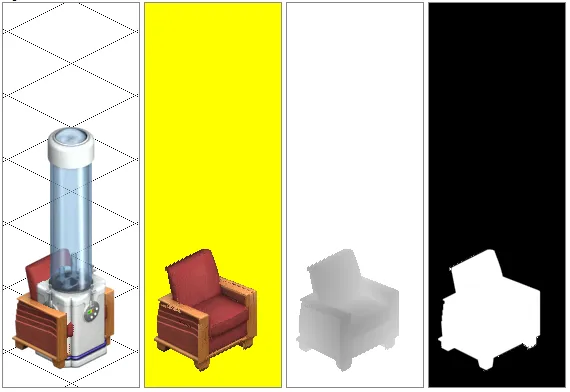
An object rendered alongside its Z and alpha channels. The Z channel allows pixel perfect intersection with other objects and avatars.

http://www.niotso.org/zbuffer/

This was not the only function of this renderer, though. A custom version I made was actually able to render objects from non-standard angles, using the z buffers and some vector math to offset their pixels to a new position in 3D space. (press 1, 2 to rotate)

https://freeso.org/zbuffer/index.html

This was a good proof of concept, but obviously this kind of 2D per-pixel transformation is too slow to run in real-time on a lot. It was clear a true solution would need to generate a 3D model which could be transformed and rendered on the GPU.

You could say that this has always been the secondary goal of this project, though obviously I never like to get people’s expectations up if they might be disappointed. It’s always been on my mind, either way.

Development

Developing the whole thing into a playable state took about a week. Not kidding - since the entire game was already there, and terrain was already in 3D, it didn’t take long to get a prototype working. The first steps were simply generating meshes for existing objects in the game and displaying them by themselves in volcanic. This was done to test how viable applying such a technique to the whole game might be, on a per object basis.

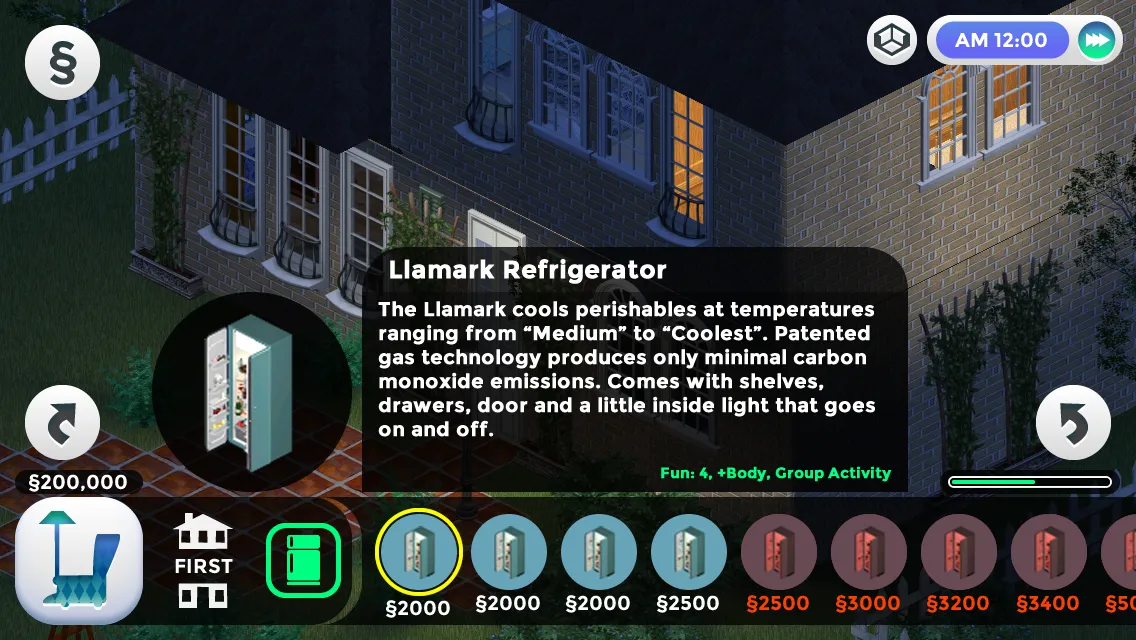
These triangle meshes were literally generated as heightmaps of the z-buffers, without any tricks. It became clear that these meshes would have too many triangles to render 1000-fold on a typical TSO lot, so the next step was to obtain and adapt a mesh simplification algorithm to create meshes with managable triangle counts. This worked incredibly well - typical reductions were usually 50-fold. Additional techniques were applied after this to remove duplicate triangles, but that will be discussed in the next section.
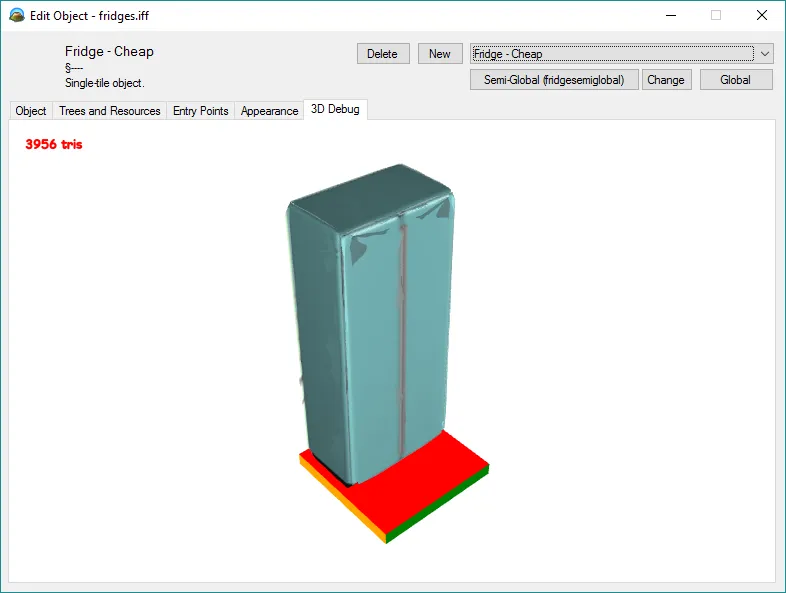
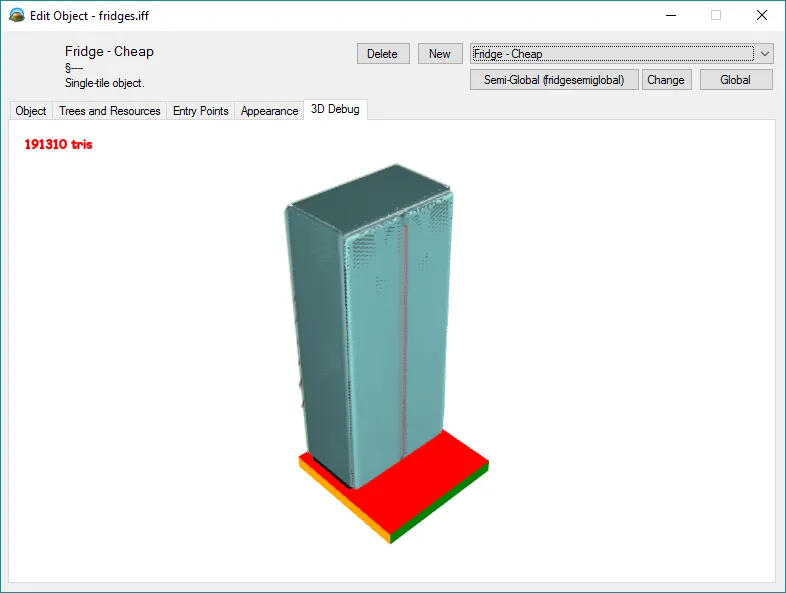
A generated fridge mesh that's only 3956 tris A generated fridge mesh that's 191310 tris

Two days after starting, I’d written an alternate implementation of the world that attempted to render with a 3D camera. This was weird enough in itself - seeing TS1 graphics from another angle, even without objects, was really surreal. This mode immediately used a modified shader for drawing grass and build mode gridlines, but was completely unplayable. Ground and object clicking completely relied on the isometric perspective - and had to be re-implemented later in a more universal fashion.

Later that night, I got the game rendering objects too, and off the bat it ran surprisingly well. Some of the objects had clear z issues, and there was no way to render walls in 3d, but the game looked like it could potentially function at some point.
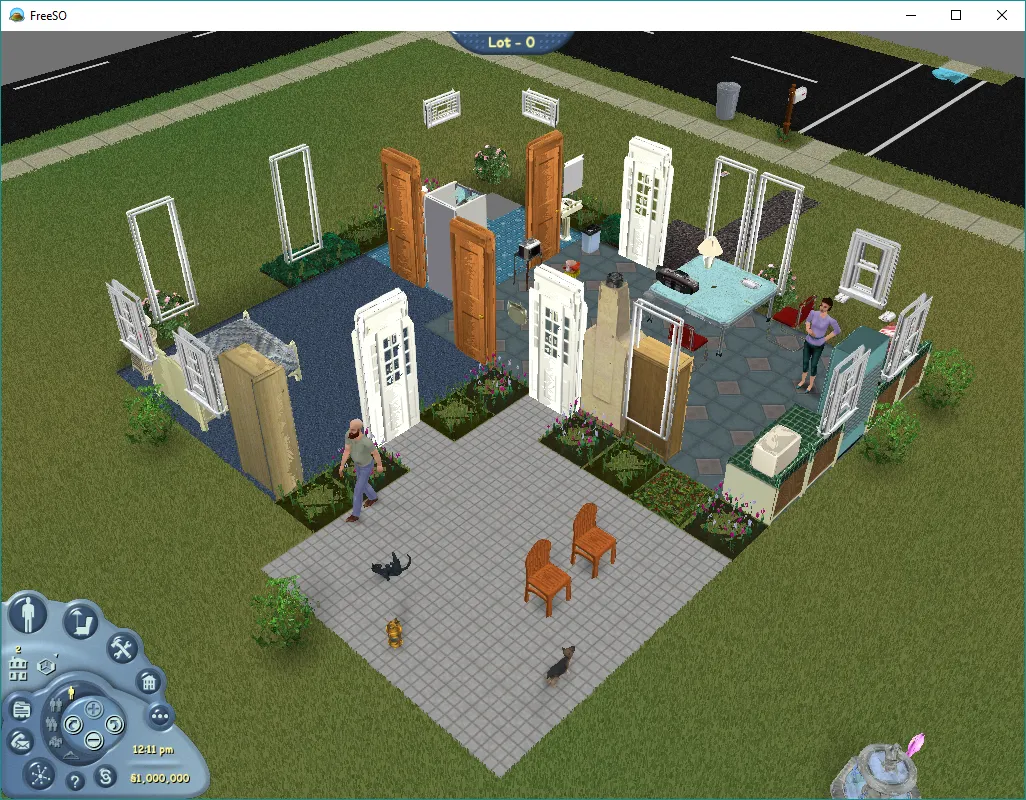
The Newbie house in 3D

Objects quickly gained their own shader to function with our custom lighting, and using a simple bounding box + raycast I was able to make objects clickable as well.
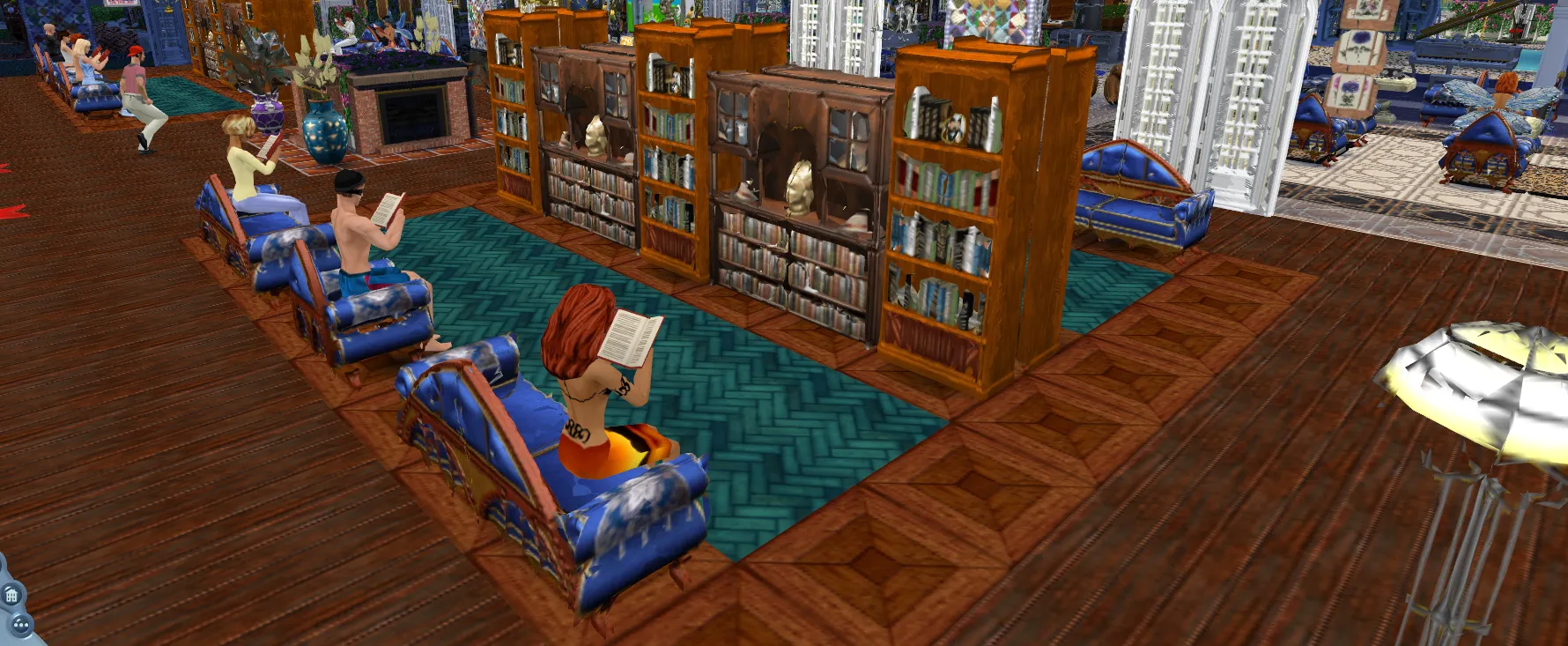
Sims studying in 3D

Walls were quite tricky, since the original wall component generated a 2D sprite list, I had to re-implement wall rendering from scratch to generate 3D wall geometry with cuts and thick walls. This only took a day, but the recompile time for that single class is a testament to its complexity (though it is surprisingly simpler than the original 2D wall component).

One notable thing is that walls in The Sims 1 make no physical sense - no matter what direction you look at them from, the “front” of it appears to be dead on the edge of the tile, while the thickness of the wall extends back away from the camera. To represent this in 3D and avoid clipping issues with doors, walls and paintings, the wall actually has to shift away from the camera depending on the view direction. Thankfully this effect is subtle.
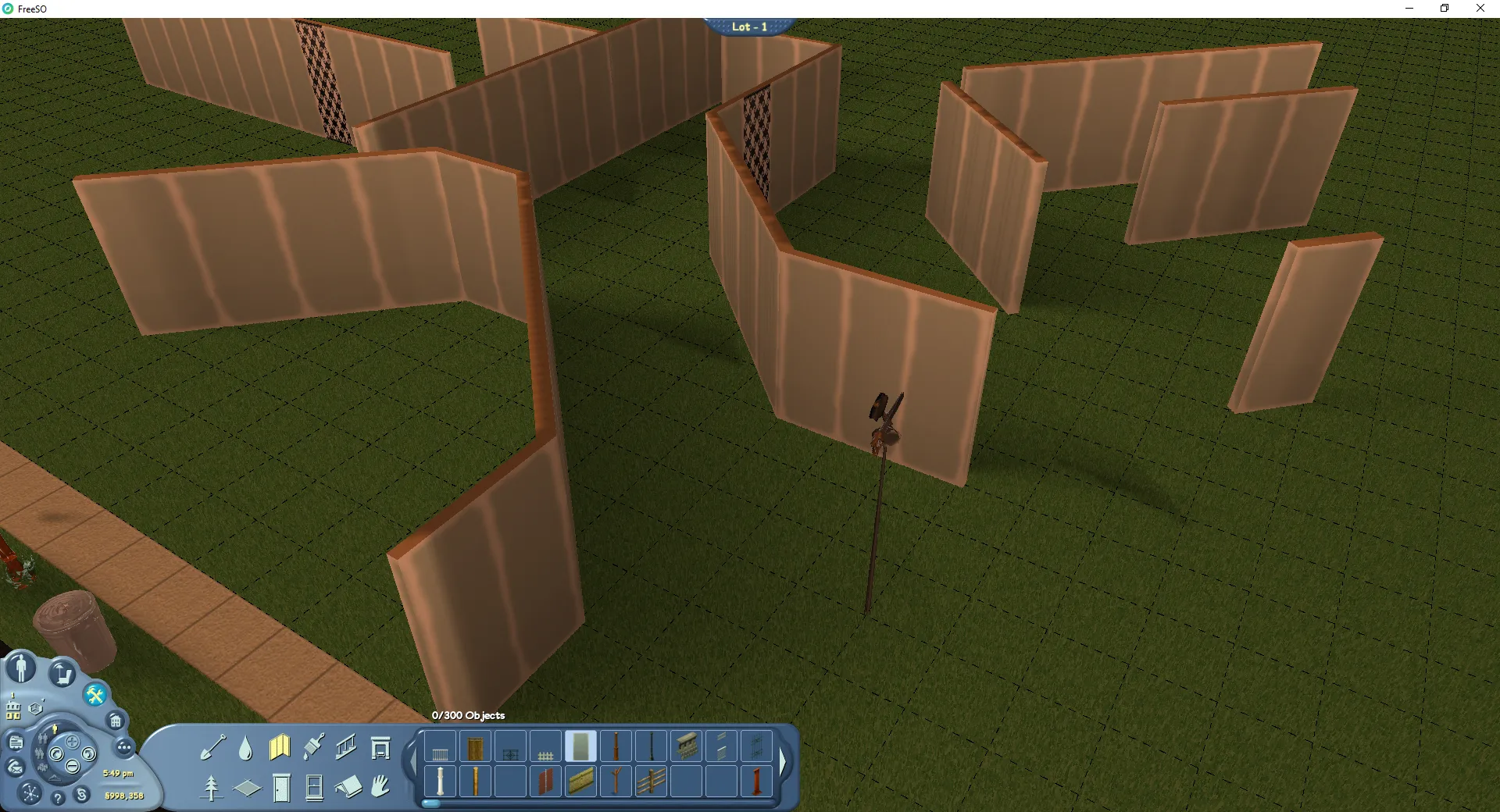
Testing 3D wall positions

From this point, I added experimented with rendering the city view as part of the sandbox, and the result quickly became very cool. Around this point I also replaced our old mouse -> terrain position estimation with a more robust raycasting solution too, which allows objects to be placed in 3d, go here to work correctly and a few more core game features to work correctly. This change will actually also benefit the 2D engine - complex terrain will no longer be impossible to click on.
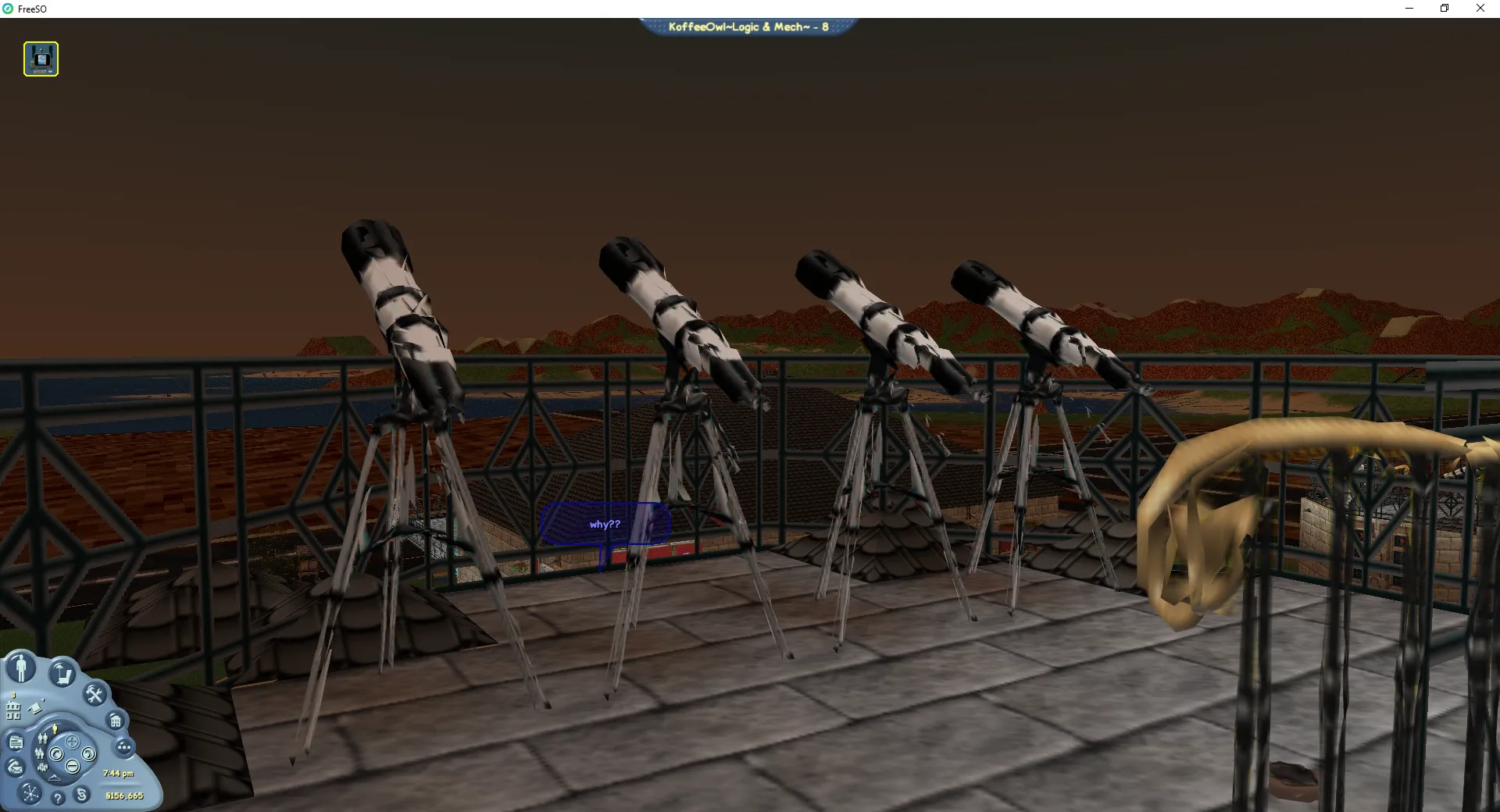
Generated telescope models at KoffeeOwlLogic & Mech

(these are development screenshots, the meshes for the objects, wall shad0ws and the skybox will look slightly different now)

This past week has been writing tweaks for the mesh reconstruction, playtesting, visual improvements, robust camera controls and 3D wall shadows.

Process

Any single graphical state for an object in The Sims is called a Drawgroup (DGRP). These contain information for positioning sprites in 3D space, for multiple zooms and rotations. We wish to create 3D meshes for each of these graphical states, which we can then render in place of the 2D sprites.

  • A heightmap-like mesh is generated directly from each sprite in the DGRP, and appropriately transformed from the isometric sprite (x, y, z) into object space. Meshes for “dynamic sprites” - toggleable sprites for each DGRP are kept as separate meshes to make them easier to toggle.
    • This can possibly be improved by omitting triangles that have already been “seen before”, and physically merging into the other sprites at exact vertices.
    • Some objects apply a post process effect to correct broken z values. This is discussed later.
  • The mesh is simplified using a quadratic mesh simplification technique. Our current implementation is a customized C# port of an existing C library - https://github.com/sp4cerat/Fast-Quadric-Mesh-Simplification. The port has been modified to prevent corner cutting, and to use a target precision rather than a target number of triangles.
  • The mesh is then cached for later use, and even saved to disk to prevent regeneration on next run.
  • This mesh can now be rendered alongside other 3D elements such as avatars, terrain and our new 3D walls, but with no limitations to camera position.

Can I run this on my Intel HD laptop?

Yes, but it will likely perform poorly and crash when loading any complicated lot (exhausted VRAM).

Most meshes for objects are generated and simplified algorithmically. This means that they will have a much higher triangle count than if the objects were modelled by an artist, mostly to avoid losing important details when simplifying the mesh. Typically, one tile of an object has several thousand triangles. This can quickly add up for thousands of objects, leading to millions of triangles potentially drawn in a given scene, and by extension millions of mesh vertex positions stored on the GPU.

You will need a gaming rig to run this smoothly with all features on. Here’s the machine I’m running on:

  • GPU: NVIDIA GeForce GTX 680
  • CPU: Intel i5-3570k @ 4.5Ghz

You’ll also need some free disk space to store cached meshes. Since the game does not use an mipmaps right now, I strongly recommend using the AntiAlias option toggleable in the options. This will apply 4xSSAA to the game graphics, which should be alright if your PC has a dedicated graphics card.

I can hit 144 fps in most lots, though in store lots and when seeing all objects in a lot (zoomed and panned camera) it can dip considerably. Other details are probably irrelevant - RAM usage is still within reasonable bounds. The game performs much faster in DirectX mode than it does in OpenGL, so I would recommend playing on DirectX when you are using 3D.

If you’re not targeting 144hz, even a laptop with a dedicated GPU should be able to hold 60. Mesh generation may take longer on slower CPUs though, and stuttering might be more present.

To run the game in 3D mode, toggle it on the launcher. If you’re starting the game directly from its executable, use the start up parameter -3d. This works for both FreeSO and Simitone. Make sure you have read this whole article though - our 3D mode will be near unplayable on hardware without dedicated graphics.
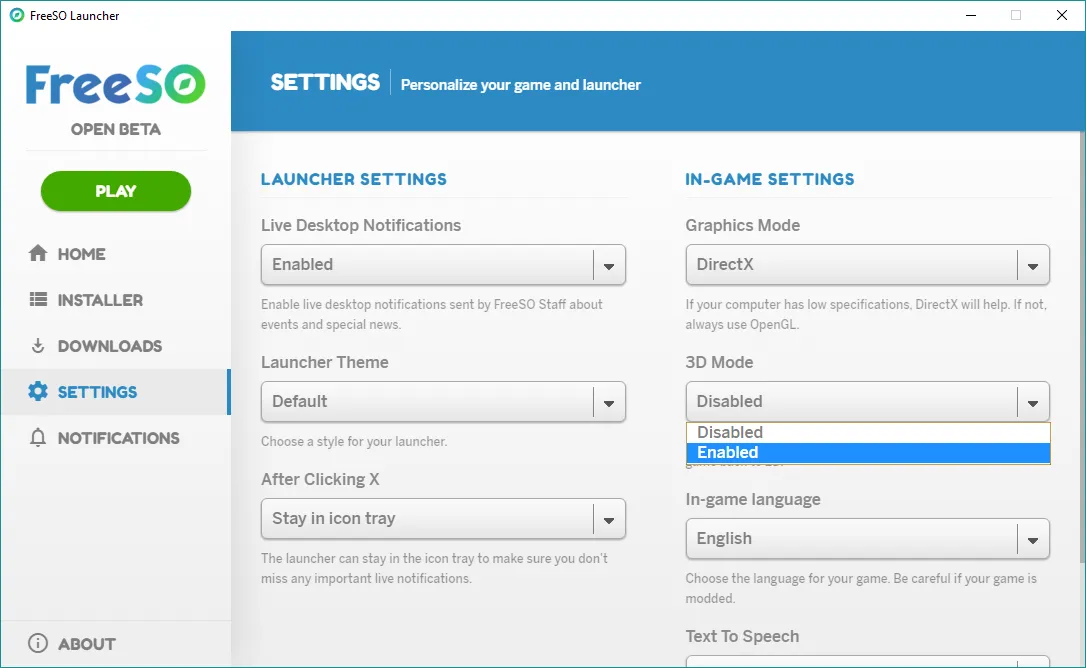
The FreeSO Launcher with a 3D Mode toggle

Limitations

This technique works by assuming that the z-buffers for each object are an exact representation of the 3d shape of that object. A lot of the time this is not the case - the depth values have been modified for many objects to avoid them peeking through walls. Typically, this happens for counters.

A possible solution to this problem is to try and reconstruct most broken depth buffers automatically - detect if the object is affected (eg. assume affected if it’s a counter) and extrapolate the depth values to fix it before performing mesh reconstruction. This solution was implemented, since counters are such a common occurrence.

![Automatic counter depth fix. X positions are extrapolated past a clip boundary based on the “border” vertices lying on this boundary. Keeps counters continuous.](./df.jpg “Automatic counter depth fix. X positions are extrapolated past a clip boundary based on the “border” vertices lying on this boundary. Keeps counters continuous.”)

Another issue is that the mesh reconstruction can only represents what has been seen from one of the four angles. This means that complicated meshes will have holes in them when seen from other angles, such as from a non-diagonal side or underneath. There can also be small holes between the tiles of multitile objects, since they are separate sprites in TS1. These issues are not as easy to solve.

Because it is an automatic process, and the z-buffers tend to have some error due to their limited byte precision, objects appear to have a “painterly” look up close, where they don’t appear quite as clean and straight cut as they do from the 2D isometric view. This is not a problem from a distance, but can be distracting for closeup shots.

Finally, some non-symmetrical objects have nonsense flips which were used to save space on sprites. For some of these flips I have simply disabled some of the sprites from other angles (typically windows), though this can cause holes to appear on the side of the object that does not have an accurate sprite.

One solution to all of these problems is to allow users to replace the meshes and textures the game generates with their own - allowing them to fix broken reconstructions, or even replace them with a better model with more detail using fewer triangles. This will be possible through Volcanic, our tool for editing and creating game objects, and one such replacement will be included with the game builds as an example.
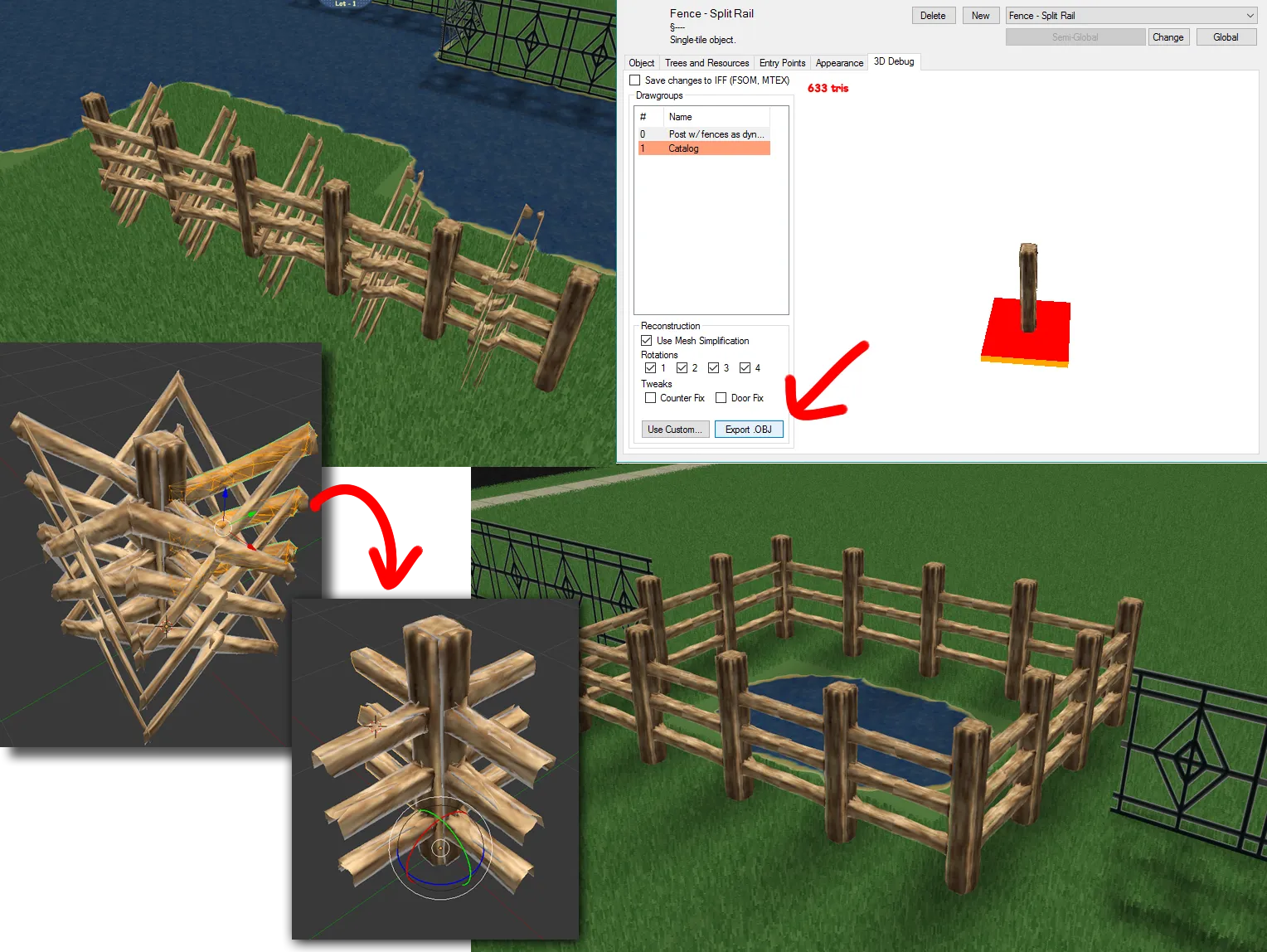
An example process of exporting an ingame mesh, touching it up in Blender, and re-importing the fixed version of the mesh in the game.

I’ll leave these up to the community to manage. It’s possible to just clean up problem objects, but a larger scale project which remeshes every object in the game is a potential option too.

Summary

At the moment, our 3D mode is fully playable, but it should still be considered experimental, due to the presence of visual issues and low performance on integrated graphics. It’s a really surreal way to play the game that is definitely worth experiencing.

Most importantly for me, I’ve learned a lot developing this mode. This is likely one of the last things I will do full-time for FreeSO. Whatever I do next, whether it be developing my own simulation game or something less of a game, I’m glad I took the time to try this, and I hope you enjoy messing with it too.

Rhys

Image

TS1 iOS Port Cancelled

7 August 2017

In the last news update, I announced an attempt at using the FreeSO engine to bring TS1 to mobile platforms. For the foreseeable future, these efforts have been stopped.

A few months ago we were contacted by EA regarding how the TSO IP should be handled. At that time, you may have noticed a change in logo to avoid the house motif, the addition of multiple disclaimers to our websites, and further insistence on taking no donations for server costs (really, no change). Given even just its relevance to me, The Sims’ IP is clearly something that is worth EA protecting from any potential damage, so I complied with these terms immediately out of respect.

A few days ago, some time after our last blog post, I received further correspondence from EA, regarding my plans to bring TS1 to mobile devices, as well as potentially FreeSO. To protect their IP, they asked that I cease and desist any efforts to bring either of these games to mobile or any other platforms. While both projects are entirely legal (copyrighted content and references to “The Sims” provided by the user, not the replacement engines themselves), I do not want to step on EA’s toes, and will obviously comply with their requests rather than starting some kind of expensive legal battle.

Seeing it first hand, I could completely understand how damaging a third party releasing a mobile client could be to The Sims brand. The mobile market had never seen a full The Sims game with no micro-transactions, and even though it might be hard to install and transfer the game from a computer (especially on iOS), the disruption could have had a notable impact.

Granted, only a few weeks were spent on the project, but it’s unfortunate that after seeing it work so well, it may never see the public in a complete fashion. I enjoyed working on the project, and it taught me a lot about mobile development with Xamarin & MonoGame, multi-touch interfaces and more about The Sims (and how it differs from TSO).

Video

Despite the fact that I cannot release it, what I created is really worth seeing, and I wouldn’t want people to think I was lying about the whole thing. Therefore, I’ve prepared a video created with the final iOS build I produced, showing all implemented features in action (running on iPhone SE):

Play

You will notice many bugs. You will notice that the game sometimes stutters, especially at three speed. All of these issues are caused by lack of optimisation - with some amount of work the game could run smooth as butter at all times on devices such as the iPhone SE and 6. It’s a great proof of concept for how the FreeSO engine was extensible enough to quickly run TS1’s game objects and logic with a flexibility not possible with the original game engine. I’m personally fine with simply showing such an achievement was possible.

The last version did not have build/buy, the fame system, save games and many other things, so it was far from playable.

Simitone’s fallback purpose

Though I cannot release mobile projects, I can release what I have as an alternative Windows client. This client is currently very useful for examining how TS1 objects work. In the future, it could improve the playability of the game on high resolution monitors.

https://github.com/riperiperi/Simitone

The Simitone replacement game client has therefore been released on Github for use on Windows Only. This is not open source in the same vein as FreeSO - the Simitone frontend is entirely a personal project, and has all rights reserved… for now. FreeSO is a subproject of Simitone, which all sources and rights are still available for. The FreeSO engine actually contains most of the parts of, as you can see through its hybrid mode.

The Future

I was working on the TS1 port because it was something I enjoyed doing. I quickly became passionate about finding the right ways to handle the UI for the game on mobile devices. While I am alright with this outcome, getting knocked out of working on it has caused me to burn out a little.

The reality is that I cannot keep working on this project forever. Over the past three years, I have hoped that I would eventually be able to pass development onto a community of developers, and then progress to do my own thing. Despite some individual developers implementing crucial game features, (ddfczm long term, and The Architect for some recent object plugins) this community of developers has not materialised. The truth is, finding developers for an open source MMO server is incredibly difficult for a number of obvious factors: we need a ton of experience, a self-driven attitude and dedication to TSO. These things do not seem to overlap very often.

I am currently working on this project while unemployed. While I do enjoy it, neither leeching off of others or starving to death are the best I can do with my life. I wouldn’t take donations for ethical and personal reasons anyways, let alone potential legal issues.

For now, I will be taking a break for a few weeks to figure things out, after I push some fixes for stuck lots, the killer Mina.NET bug and a fix for some error 23s.

Rhys

A room on a hill on a lot

Over the past few weeks, I’ve been working on getting The Sims 1 working within our engine, to ready it for a mobile version. This has led to the development and improvement of a feature that was not explored in TSO before: terrain tools.

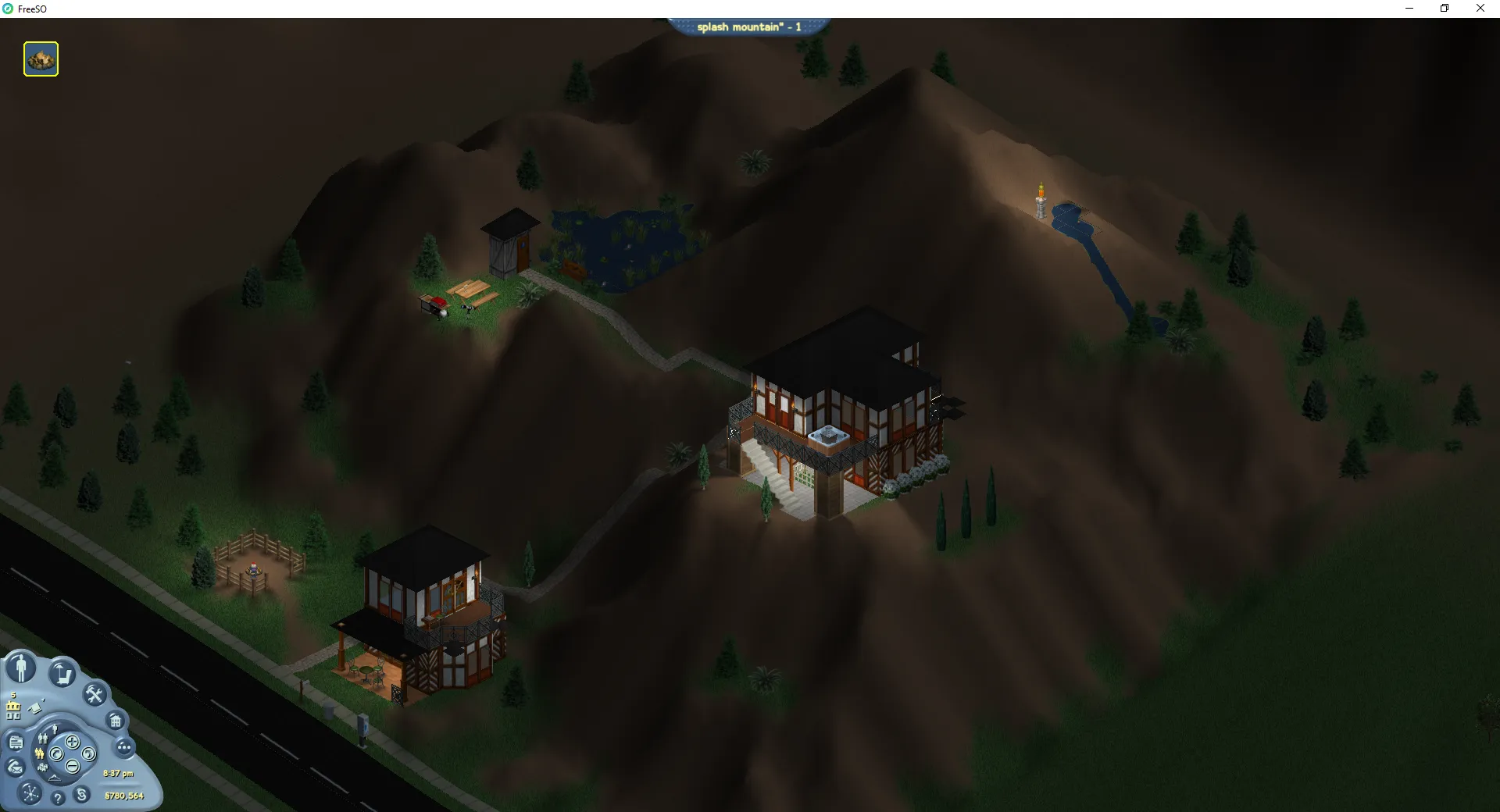
The lot "splash mountain*" making use of the terrain tool

This enables a whole new level of creative freedom for designing interesting lots which can use the terrain to spice up a lot with multiple buildings, or even enable lots based entirely around a terrain feature such as a mountain, mesa or digsite. I for one would like to see a jam lot in a digsite, so sims can bury their dreams while they make jams just to save some time.

Improved functionality

Immediately, you’ll remember that in the original TSO terrain tools were always listed as “Coming Soon!” in the build mode panel. The only place the terrain really appeared was in the very edge of the lot, where it only slightly resembled the terrain around your lot. Now when you place a lot on uneven ground, the terrain will accurately reflect what you see in the map view, including steep cliffs.

Additionally, floor tiles and foliage can now be placed on slopes, thanks to a new FSO custom 3D floor renderer. Terrain was very limited in TS1, so it was only really used for one lot in Magic Town, where they even had trouble making a path down the hill due to sloped floor tiles being impossible.

Red and yellow floor tiles being placed on slopes

The tools themselves have been greatly improved from TS1’s versions. In the original, you had to click, follow and hold on a tile corner to raise or lower it, leading to you occasionally raising the wrong corner and generally having little precision or control over the results. In our implementation, raising and lowering terrain is possible though a tool similar to that present in Roller Coaster Tycoon, where you click a vertex and drag it to its target height. Additionally, you can hold the control key to provide a smoother falloff rather than the default “pyramid” pattern.

The flatten tool now works on a vertex level rather than a tile level. Select a terrain vertex with the target height, and simply drag a rectangle out over the vertices you want to be the same height. You can hold the control key to produce a smoother falloff here too.

I have also re-implemented the grass tool, which works like a paintbrush. To remove grass you hold control, and to change the grass state more gradually you can hold shift. Mousing over an area once changes the grass state by one level - mousing over it again or reclicking on the point will change it by another.

Interestingly, some TSO objects have been designed to read and react to the slope of the terrain under them.

A work in progress

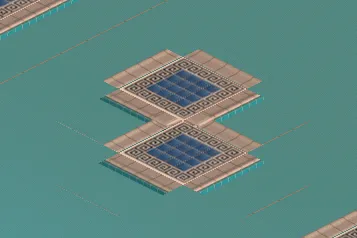
Note that while the feature is mostly complete, it has been released early in order to deploy emergency changes which prevent server crashes. This means that a few things may not look perfect, and due to the complete overhaul of the floor rendering, some things may be missing. This includes artefacts in water/pool rendering, diagonal tiles, and missing corner pieces on pools.

A pool missing corner tile pieces and artifacting Grass poking through the carpet near diagonal walls

Additionally, you might find it hard to click on terrain that is high enough to cover other terrain in the background (go here and build/buy placement). This is because we must implement a new way to detect which tile the mouse cursor is over.

The Sims 1 in FSO

A magic town lot from TS1 loaded in FreeSO

Since The Sims Online is actually built on the engine of The Sims 1, it’s not too much of a leap to adapt our engine to support and use objects and resources from the original game. After quite a bit of work, we are now running nearly all lots in a default TS1 neighbourhood (including downtown, studio etc), without much issue. You can imagine a few benefits to playing TS1 in the FSO engine, such as the lighting, high framerate support, 5 floors and powerful modding tools… but the true final objective is to get The Sims 1 running on mobile devices with an entirely custom UI.

While this is mainly a project in its own right, the development of this engine is gradually improving the state of our TSO engine. I’ve tracked down multiple very specific bugs which were completely untracable within TSO’s objects, notably the “running man” interaction bug and obscure behaviour with animation events. It was the development of this project that lead to the addition of terrain tools across both projects.

Finally, here is a mockup of the mobile friendly UI that will be used in the TS1 frontend. Note that these are just a few shots out of a large collection of menu mockups, but you should be able to note that we’re keeping it simple.

A mockup of a mobile friendly UI for a TS1 frontend

Another mockup of a mobile friendly UI for a TS1 frontend

Rhys

The band group money object being played

It’s been a long time since our last update, but I’ve finally got some time on my hands to get back into things. We also have a new developer working on object plugins for the game too, which have been gradually been appearing in the game since my last post.

Advanced Lighting

The main improvement in this patch is something I didn’t expect to be completed this early into the process, and I didn’t think it would ever be this beautiful and effective. This patch introduces a completely custom lighting engine, built from the ground up for TSO/TS1.

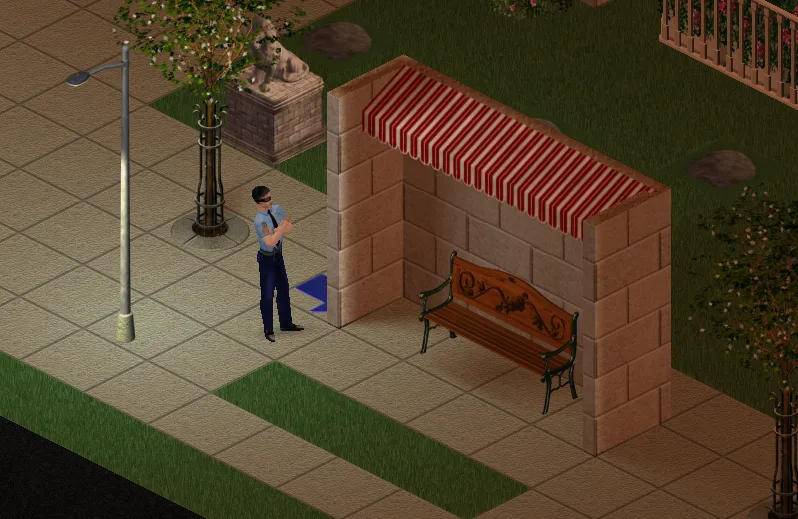
burglar cop standing at a bus stop

Even though it is not a necessary feature, it’s something I’ve had on my mind for an incredibly long time. Sims games past 1 typically build a light map to construct smooth falloffs and shadows for light sources, with 3 and 4 actually featuring advanced lighting which models per-light shadows in each room. The goal was to bring these later developments back to TSO, now that we have the graphics hardware to pull it off. Wall shadows are projected from each wall “line” in the light’s room, while object shadows are estimated from the object’s collision bounds (both with smooth falloffs).

Here are a ton of uncompressed shots from the game. Click any of them to see them full size!

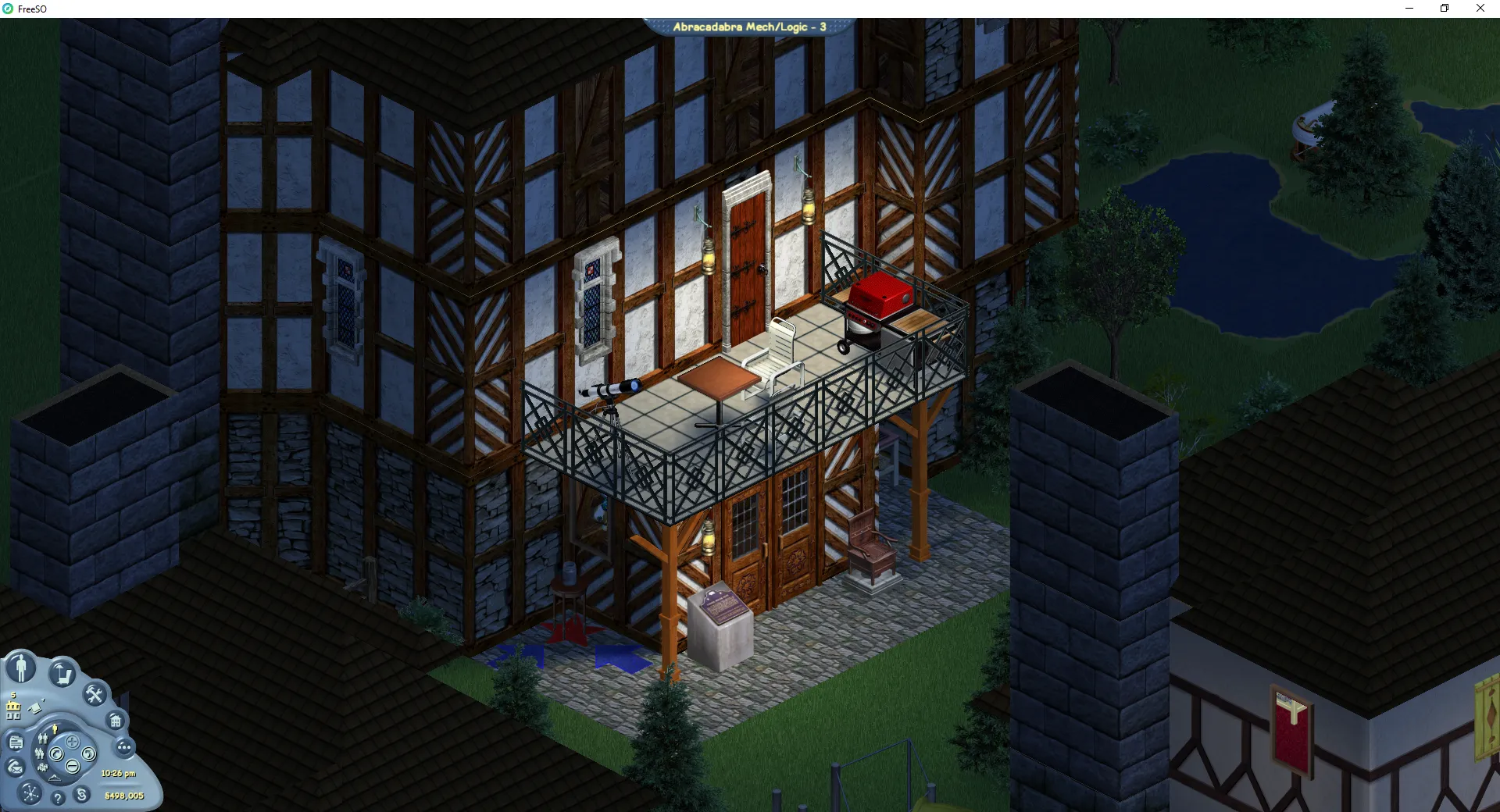
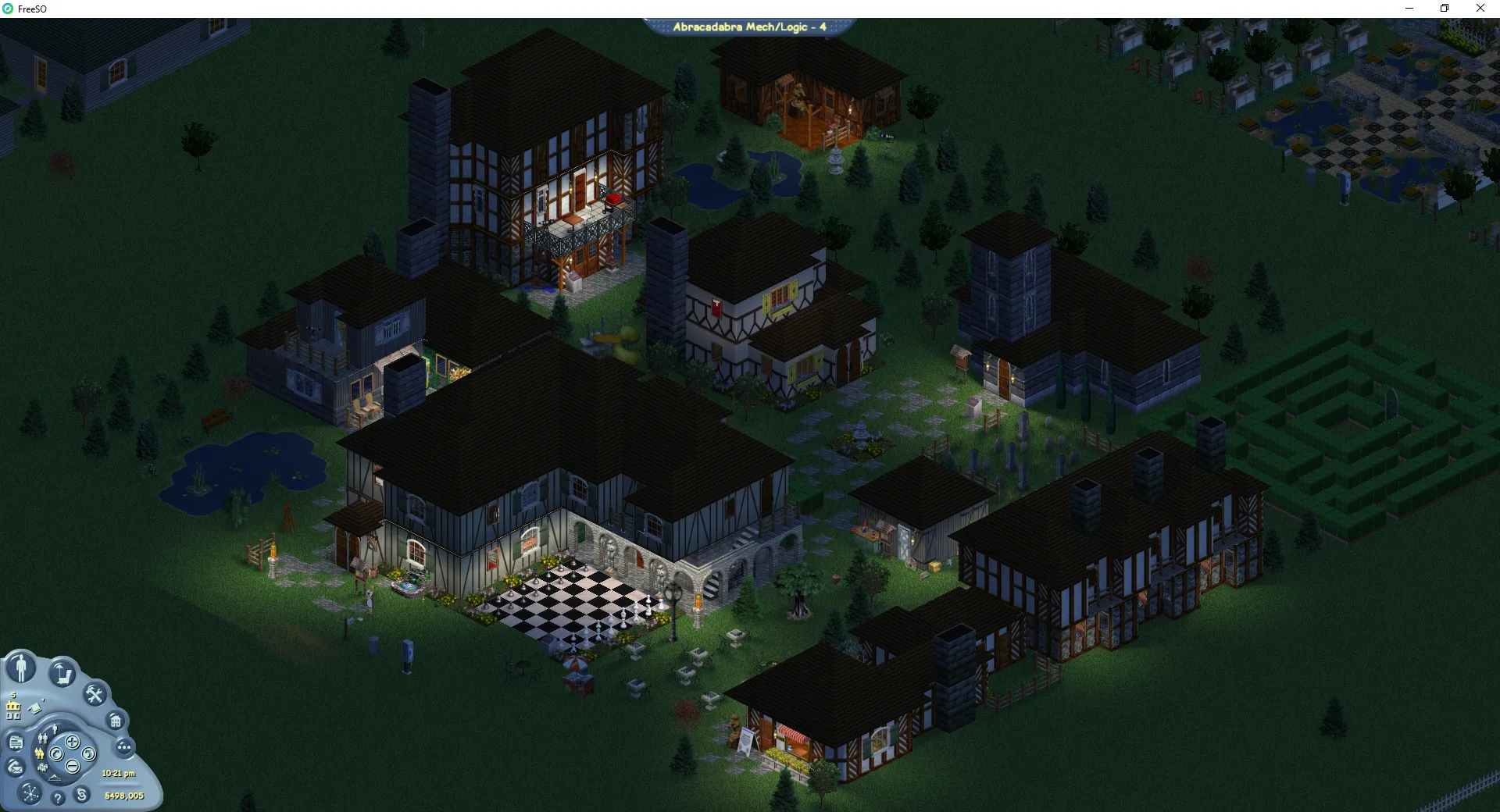
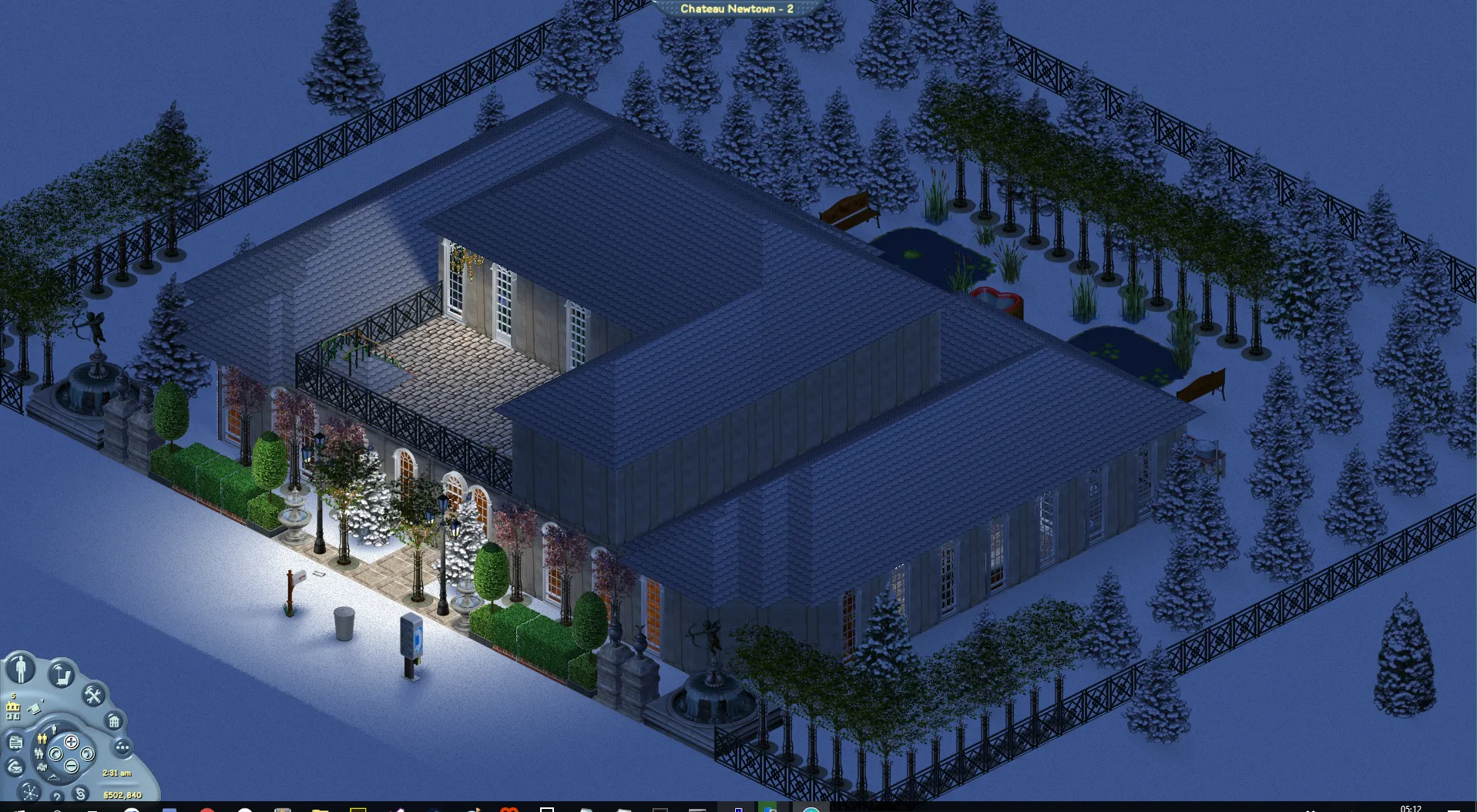
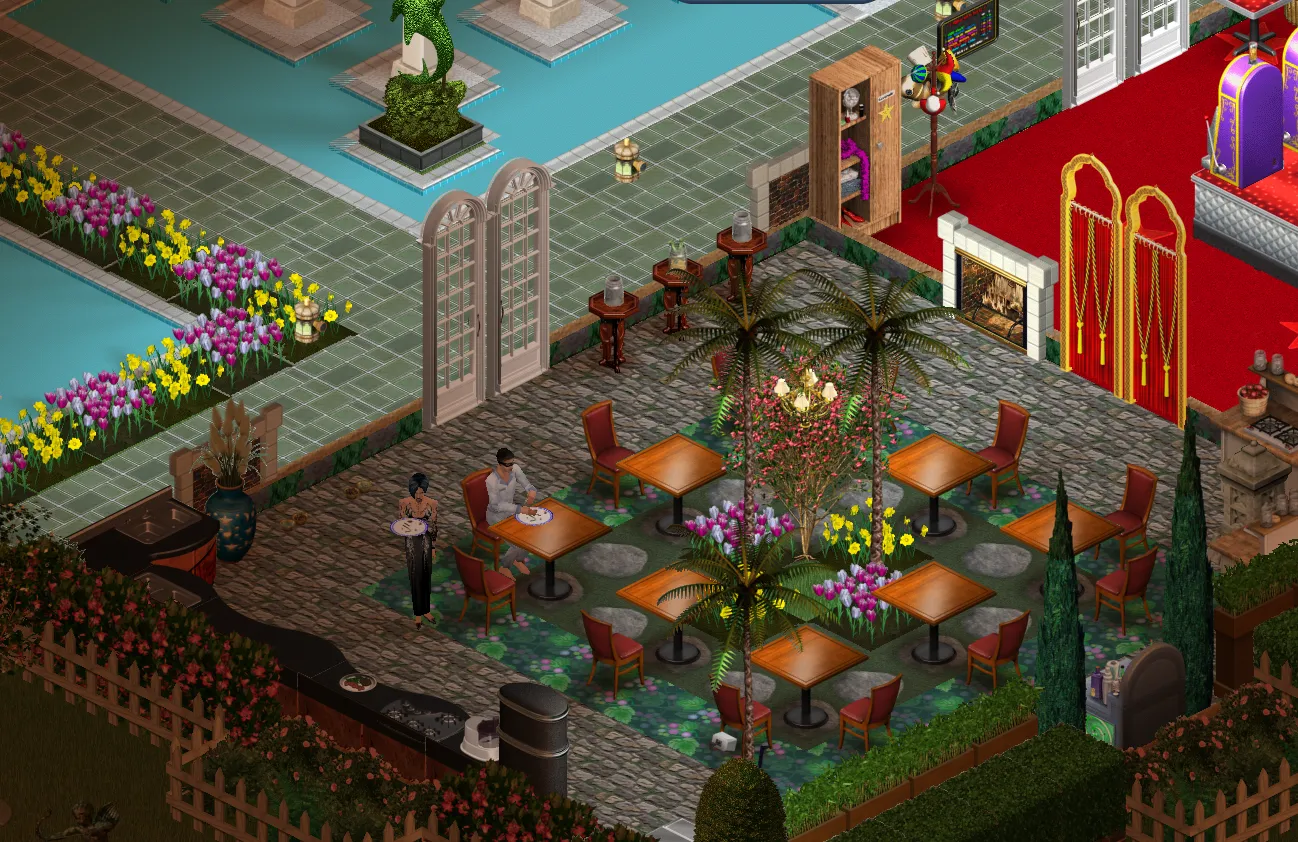
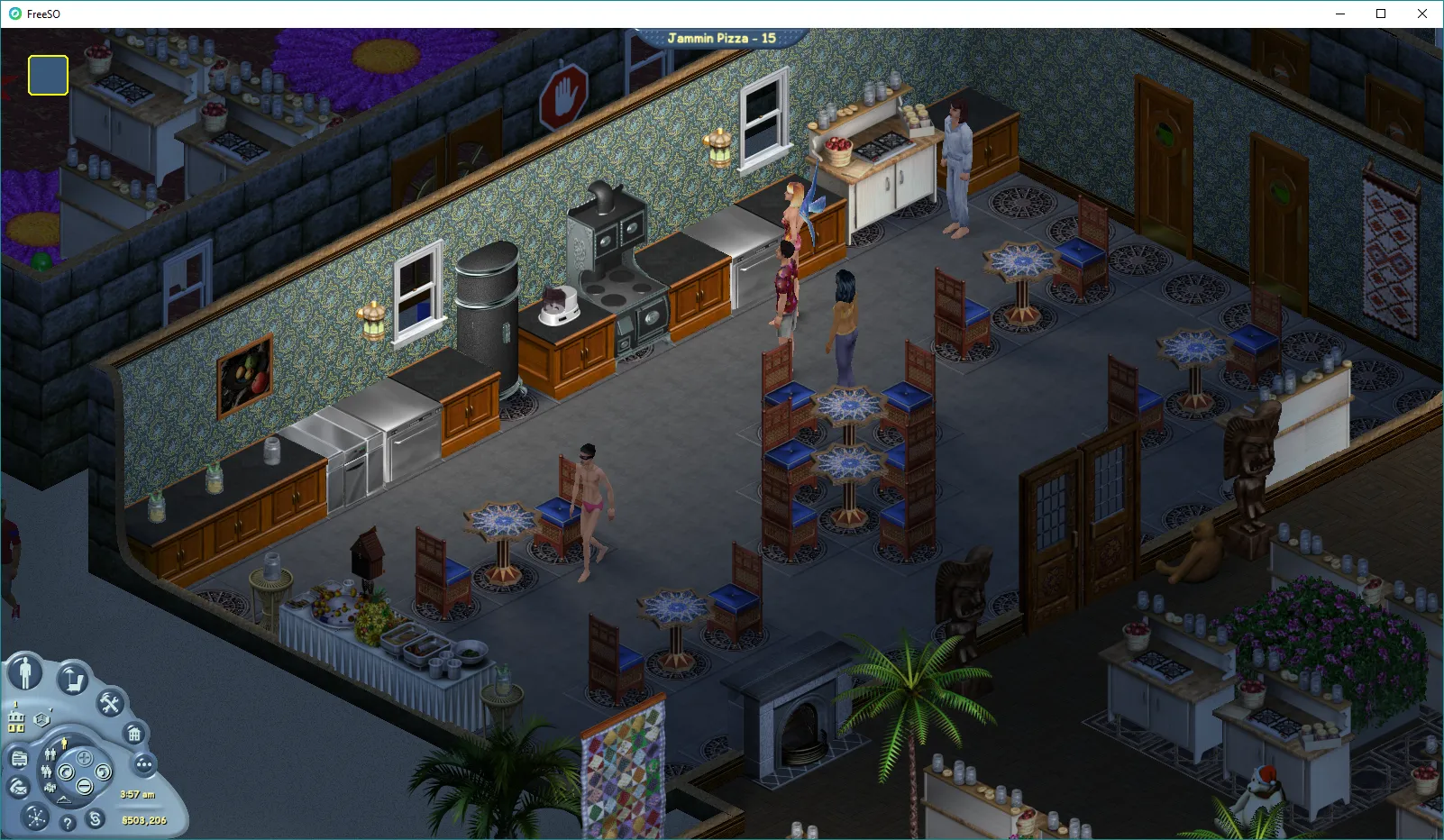
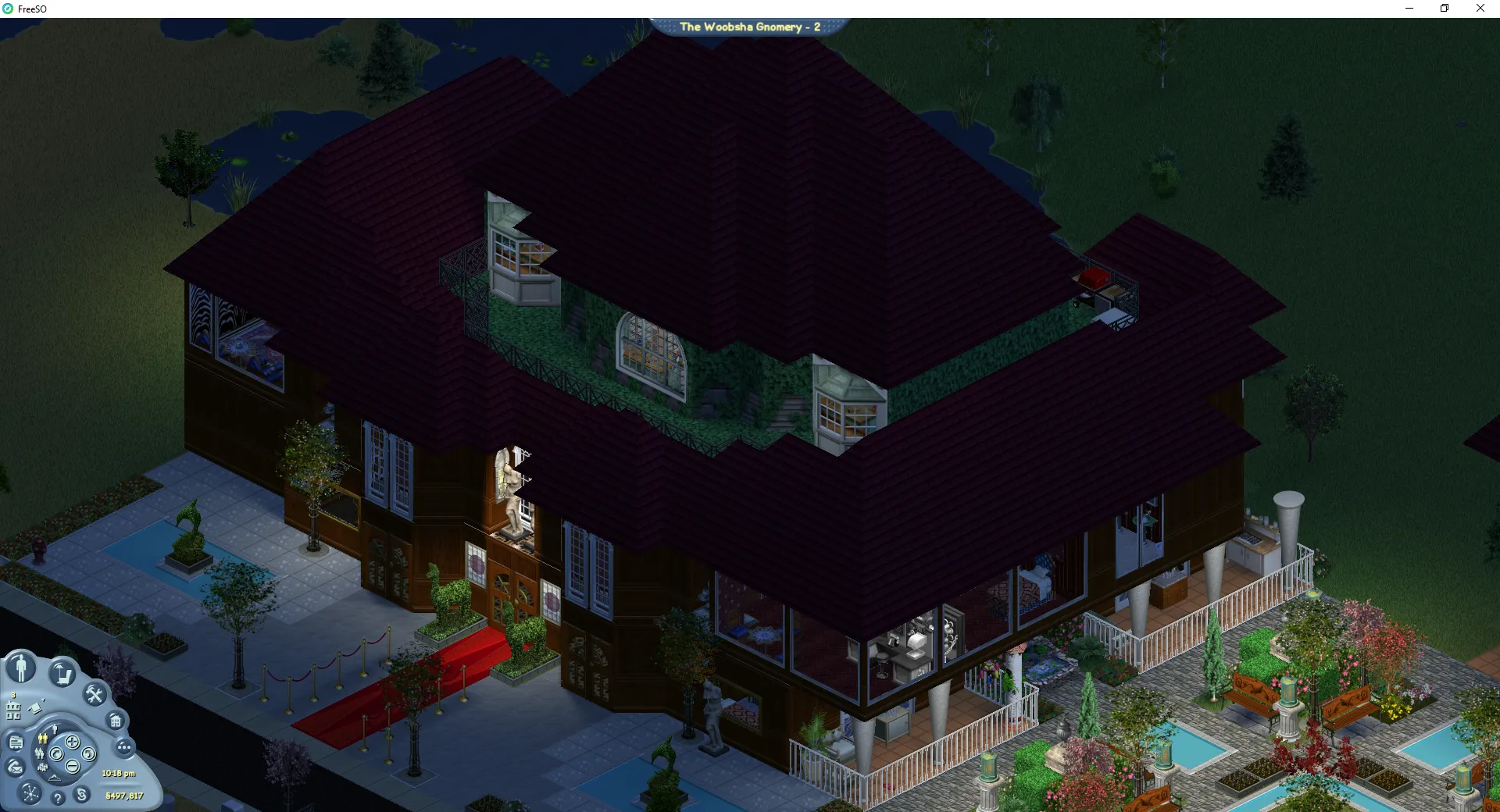
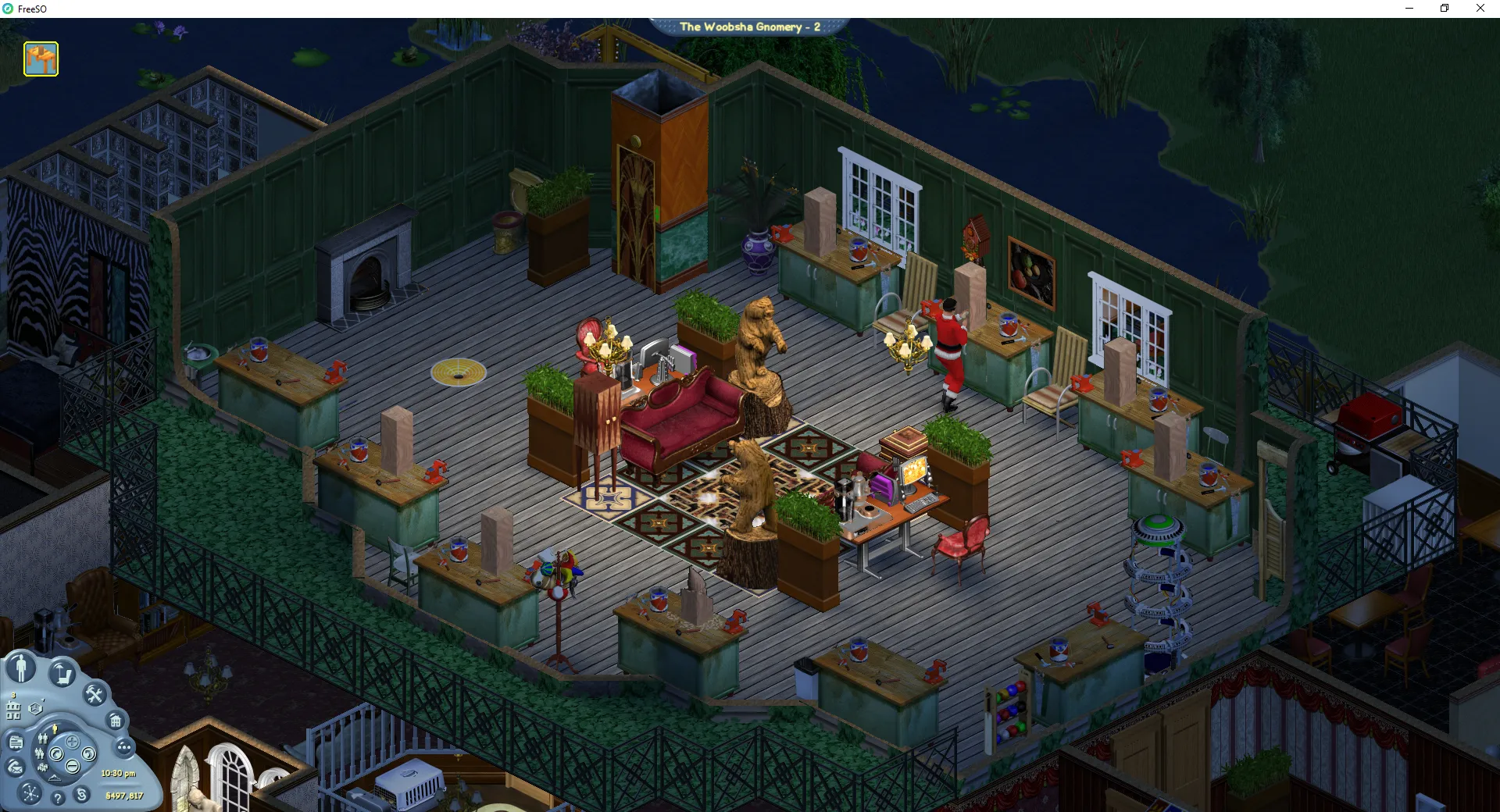
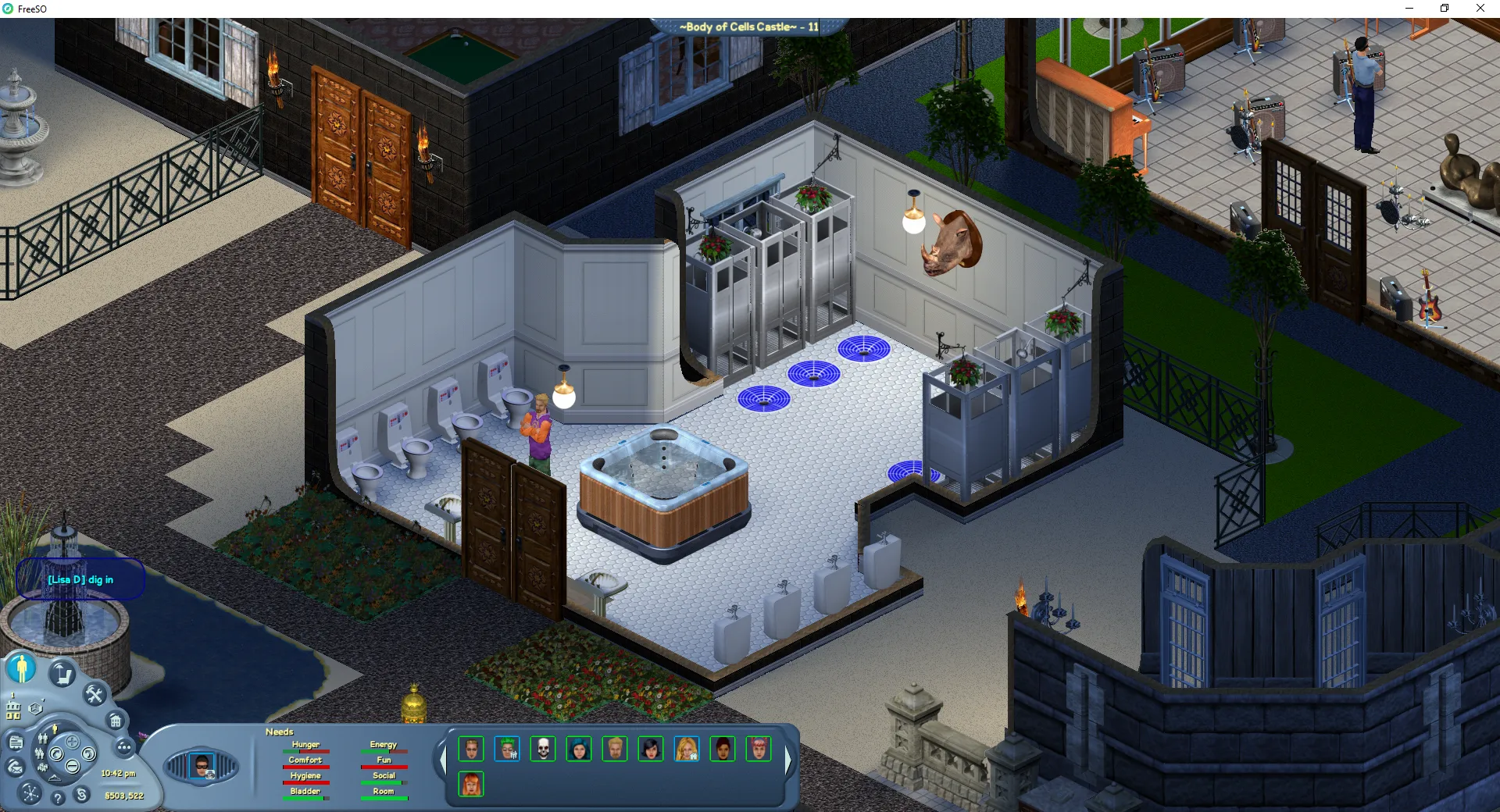
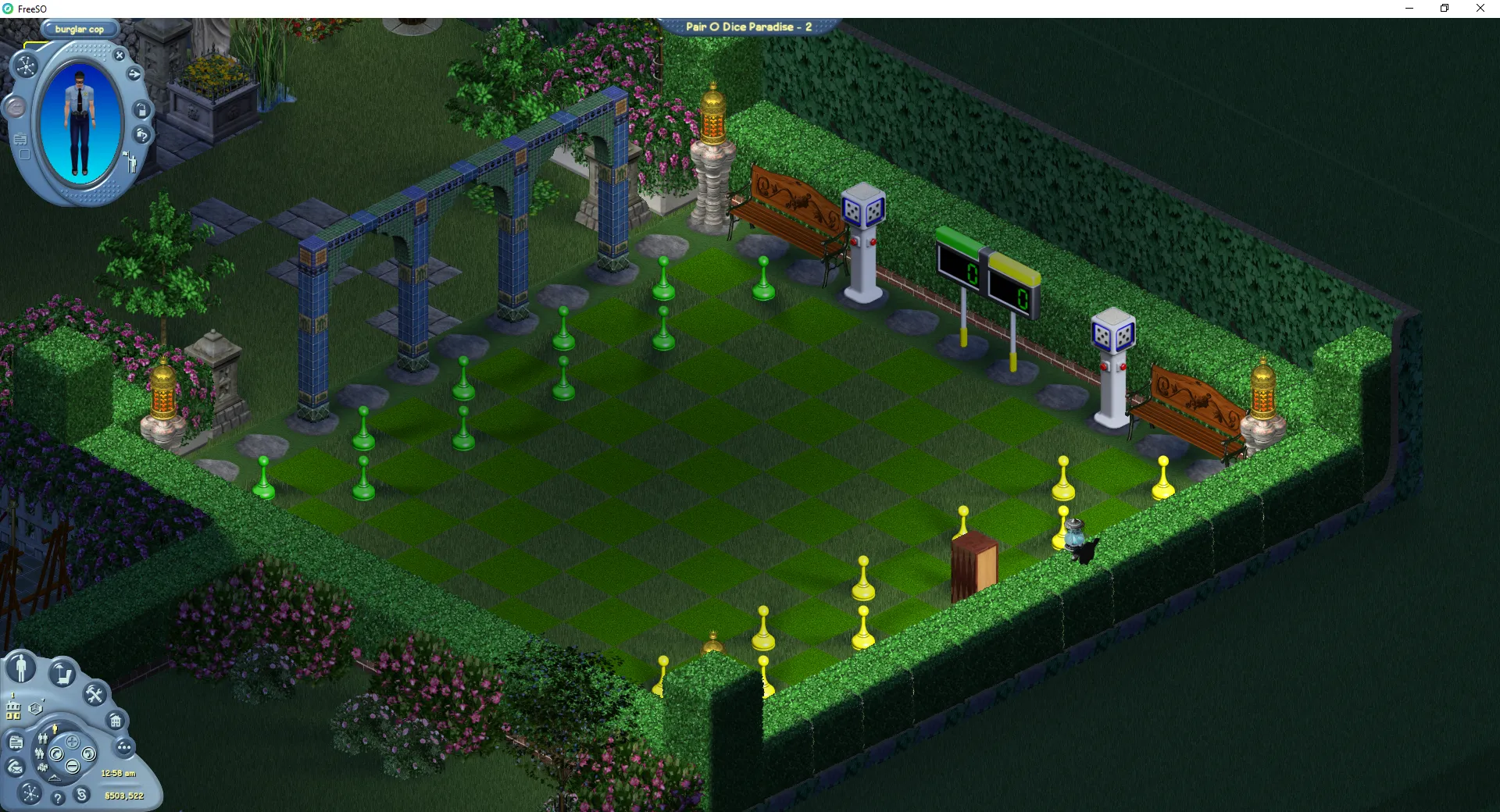
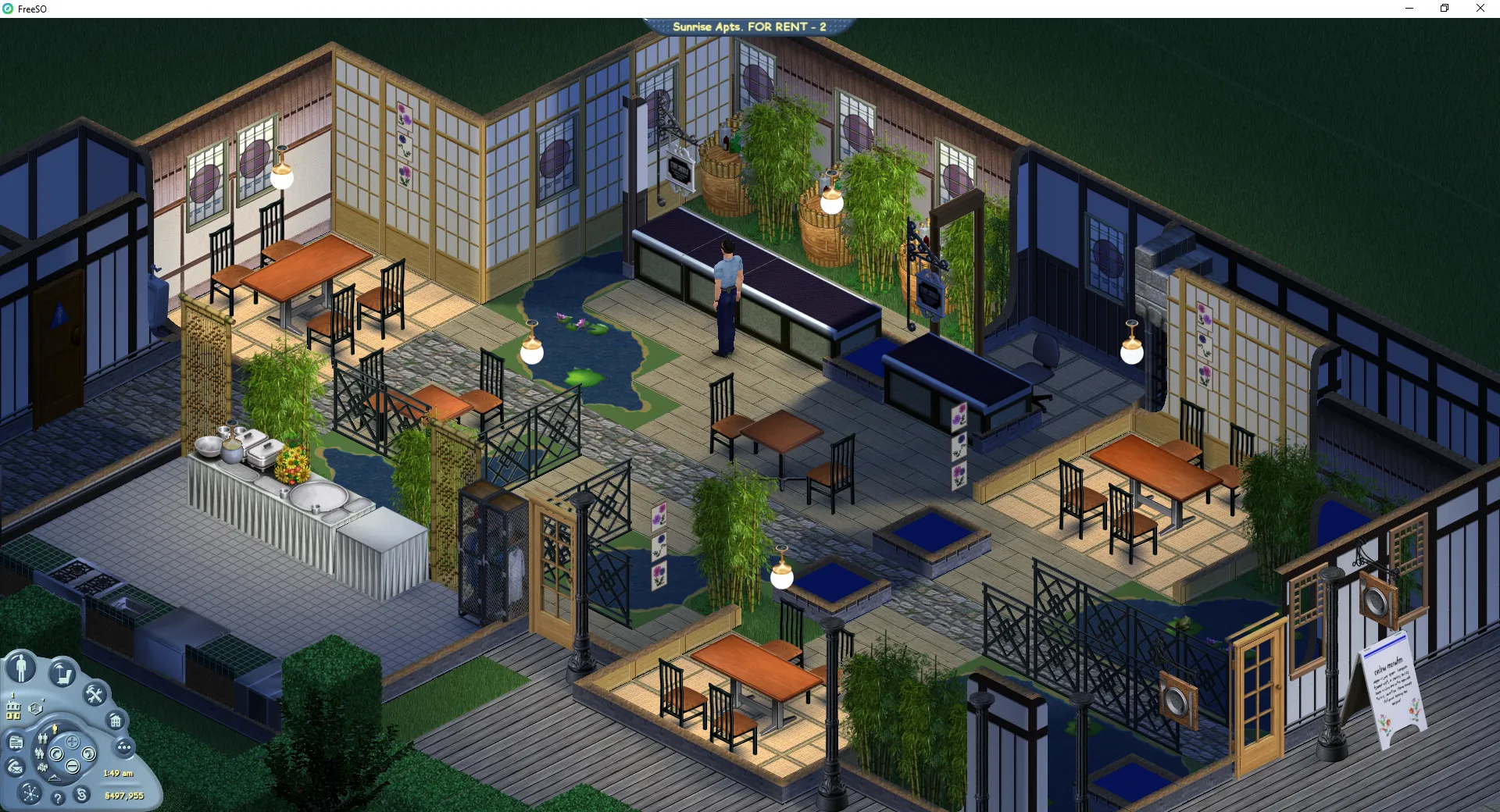
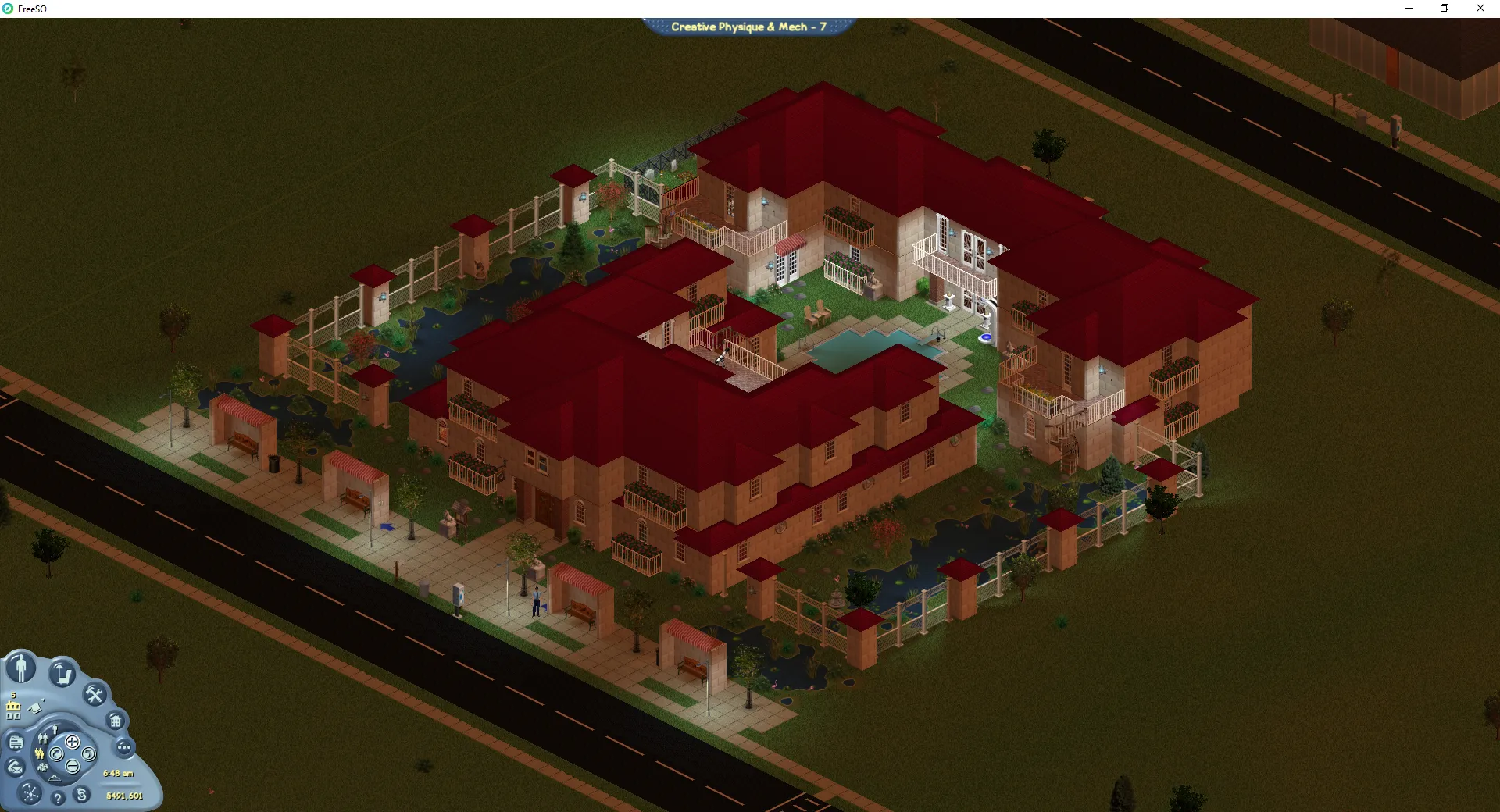
Close-up of lighting effects being shown at Abracadabra Mech/Logic Zoomed out view of the new lighting at Abracadabra Mech/Logic Chateau Newton lit up at night time burglar cop having some HC burglar cop walking to the buffet at Jammin Pizza in his swimwear The exterior of The Woobsha Gnomery at night burglar cop starting a gnome in the workshop of Woobsha Gnomery The bathroom lighting at Body of Cells Castle Shadows showcasing the lighting engine in the backyard of Pair O Dice Paradise Dramatic shadows being shown at Sunrise Apts. FOR RENT

Lighting on at Creative Physique & Mech from a far

All of these lots can be found in Sunrise Crater, and were designed when their owners didn’t even know they would look like this! The more complex or natural the lighting setup, the better the result. One adverse affect of this is that I now only obsessively play the game at night… but subtle lighting and shadows benefit the game during the day as well, as they apply to window lights.

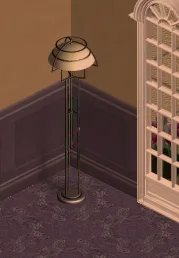
Close-up of a lamp in the corner

There will be a development post detailing the process this lighting uses and how it was developed following this one, perhaps after more core features are implemented. Additionally, you are able to enable/disable this lighting, and any other FSO enhancements in order to improve performance or reduce RAM usage. If your hardware could run the previous version of the game but not this one (DX9.3 target instead of DX9.1), you can disable the lighting to continue playing as you have before.

The settings panel showing the ability to toggle the new lighting on/off

However! This is not the only change present in this update. Additional core features have been implemented, as well as invaluable new plugins from our latest contributor The Architect.

Friendship Web

Friendship Web is now user friendly and informative!

The Friendship Web introduces core functionality that was sorely missing from the Relationships system - the ability to summarise and search through all your relationships (and snoop through others!). In TSO, you may remember this interface being more of a gimmick feature rather than something useful, mainly thanks to its unorthodox design. To simplify all of our lives, this has been replaced with a searchable, sortable list of all of the relationships you have present. Typical sort modes are available alongside more useful ones, such as “Almost-Friends”, so you can find your next target for getting you that promotion at the Robot Factory…

Plugins

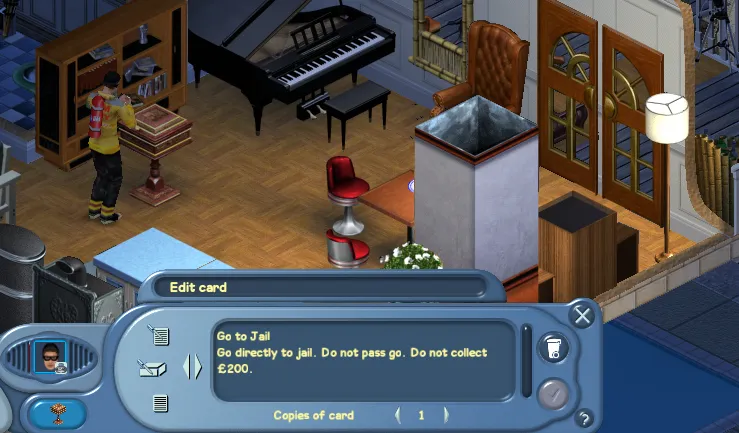
The draw-a-card plugin being used

Over the past few weeks, The Architect has been working diligently on various “plugins” - the interfaces and servers that most of the TSO exclusive objects utilise to drive complex functionality. Since our last blog post, he has implemented the Slot Machines and the Costume Trunk object plugins.

In this update, he has contributed the plugin for the Band group money object, making the creativity skill actually useful for making the big money, a special fun minigame, and two plugins for games and offbeat lots. The first is the timer plugin, which currently lets players run stopwatches or countdowns in sim time. The second is incredibly complex - the Draw-a-Card plugin lets players define a deck of cards, and then draw cards from it on demand. The last is the “War Game” mingame, which I’ll leave as a sort of surprise. You’ll be able to check these out for yourselves ingame!

…and more!

Here’s a list of everything we’re bringing with the new update:

  1. Fully reworked lighting, GPU accelerated light-maps with soft shadowing.
  2. Friendship Web UI - completely redone from scratch for usability. Find the easiest marks for improving your friendship for career goals and other benefits.
  3. Band Group Money Object - A new group money object utilising your creativity, body and creativity. Remember longer sequences for exponentially more money!
  4. Wargame Object & Plugin - A minigame object featuring cool hats. Compete to gain logic skill!
  5. Draw a Card Plugin - Set up a deck of cards for a custom defined game, and sims can draw from it. Chance/Community Chest cards (hint hint), raffles, cluedo, and more are possible.
  6. Timer Plugin - Some extra muscle for your games and events, displaying a real time clock to help you co-ordinate timed actions with friends.
  7. AFK Timer - Saving our servers some hassle! If you do not perform any interactions in 15 minutes, you will be given a 5 minute prompt to confirm you are still present. This is partially to save our servers and boot people who accidentally get “stuck” on lots.
  8. Admins and Roommates can now join lots that are full. Admins have special privileges to delete objects which should not be present.
  9. Pizza payout has now been slightly improved to encourage people to stop playing just Code. (thanks chompers)
  10. Graphics Options for fine grain control on FreeSO specific enhancements.
  11. Money over head for transactions. The most important feature.
  12. Various bugfixes and performance improvements throughout the game. (lot page lag, landing time, object crashes, etc) Pretty much most bugs that have been prominent in our #bug-reports channel, sans the restaurant ones.

Game Balance & Money Lots

We’ve noticed a few trends in the gameplay that are worth investigating or experimenting to change. Players have very minimal downtime from skilling or making money, so they are encouraged to continue doing it forever. While these users may enjoy the variety of social experiences possible in TSO, they are encouraged to forego them to, or keep their skills up. Store lots are definitely essential and make a lot of money, but disallow their owner from enjoying the social aspect of the game. Additionally, there is a staleness where people are all running the same solo jobs or skills, because it is more convenient (eg. charisma is a very useful skill), or consistently pay higher.

While the introduction of core features will restore some sanity to skill balance (eg. object wear, nightclub job, Maze group object), we would like to experiment with new features to bring even more life into the game than was there in the first place. To help combat these issues, we will be introducing dynamic payout re-balancing for solo job objects, additional benefits for more obscure lot types, and more complex systems yet to be announced. Stay tuned. 😉

Hope you enjoy playing with the changes!

Rhys

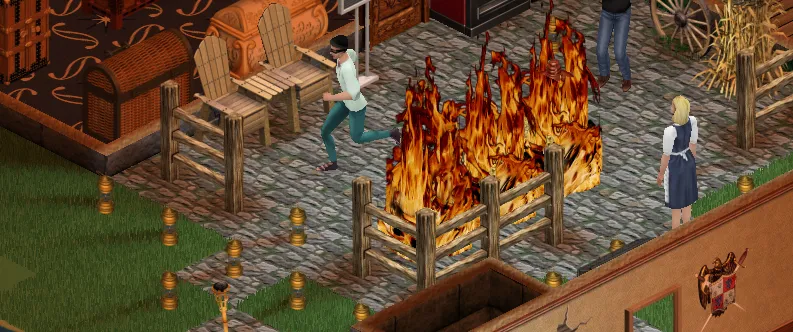
burglar cop running from some fire

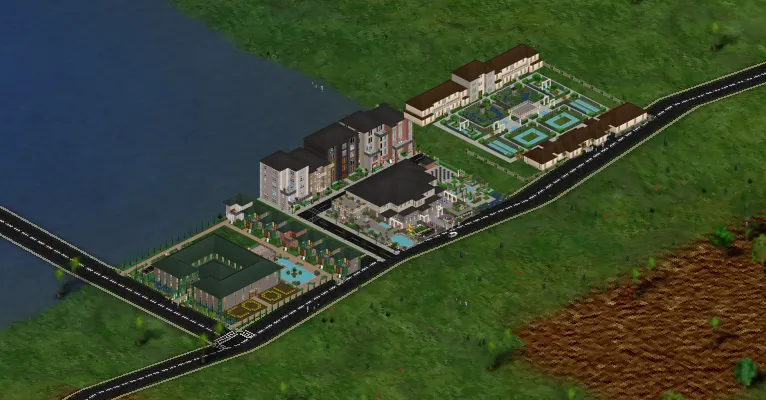
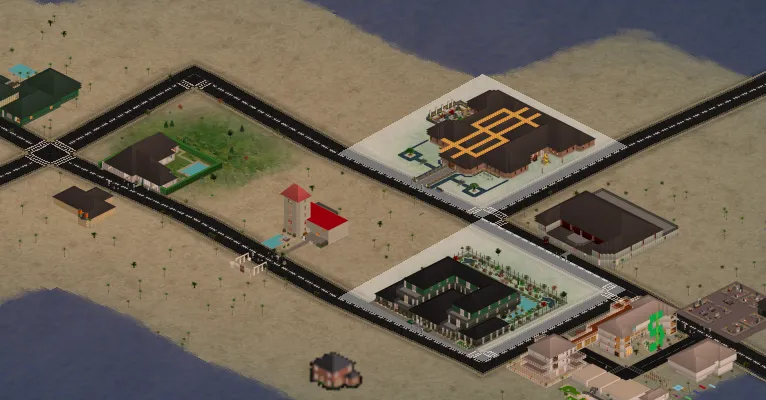
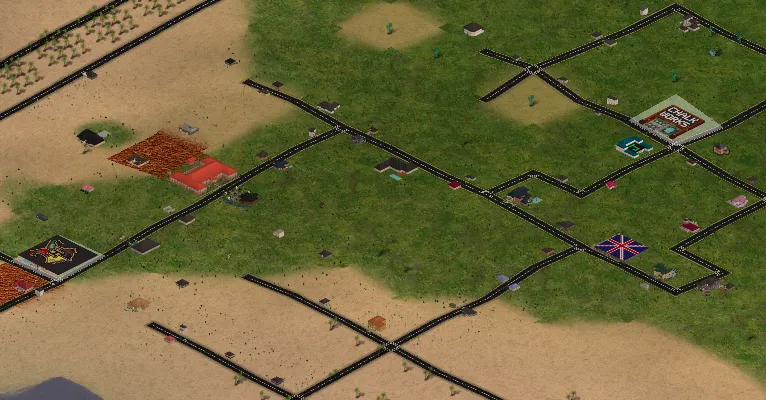
A map of Sunrise Crater with lots overlaid

Register at beta.freeso.org!

Around a month ago, the owners of the longstanding legacy server freeso.ml and I decided to collaboratively set up a test server for people to play in, which would inevitably be wiped as game breaking economy and skilling bugs were worked out. This was purely so people could play the game in its current, mostly working state, rather than waiting for me to deal with my RL business before they could play at all. Our hosts and moderators have proven an absolute blessing in that I’ve been able to put the right amount of time into everything, with them handling support and keeping the server alive.

The server was advertised on the discord and partially the forums, so that the most dedicated users could have a chance at playing first. These aren’t our only users though - we’ve received a lot of attention from various streamers over the past few weeks, which has set off a few communities, top 100 lot competition. At max, we’ve sustained 350 concurrent players in around 60 lots, on one server box. There are just over 2000 lots on the map, and 11,521 avatars in existence. Cumulatively, sims have §75,528,319 in the bank, and have bought §92,393,467 worth of objects (191,956 objects)!

Here’s some screenshots of a few that weren’t possible in TSO, from users who’ve put a lot of work in over the past month:

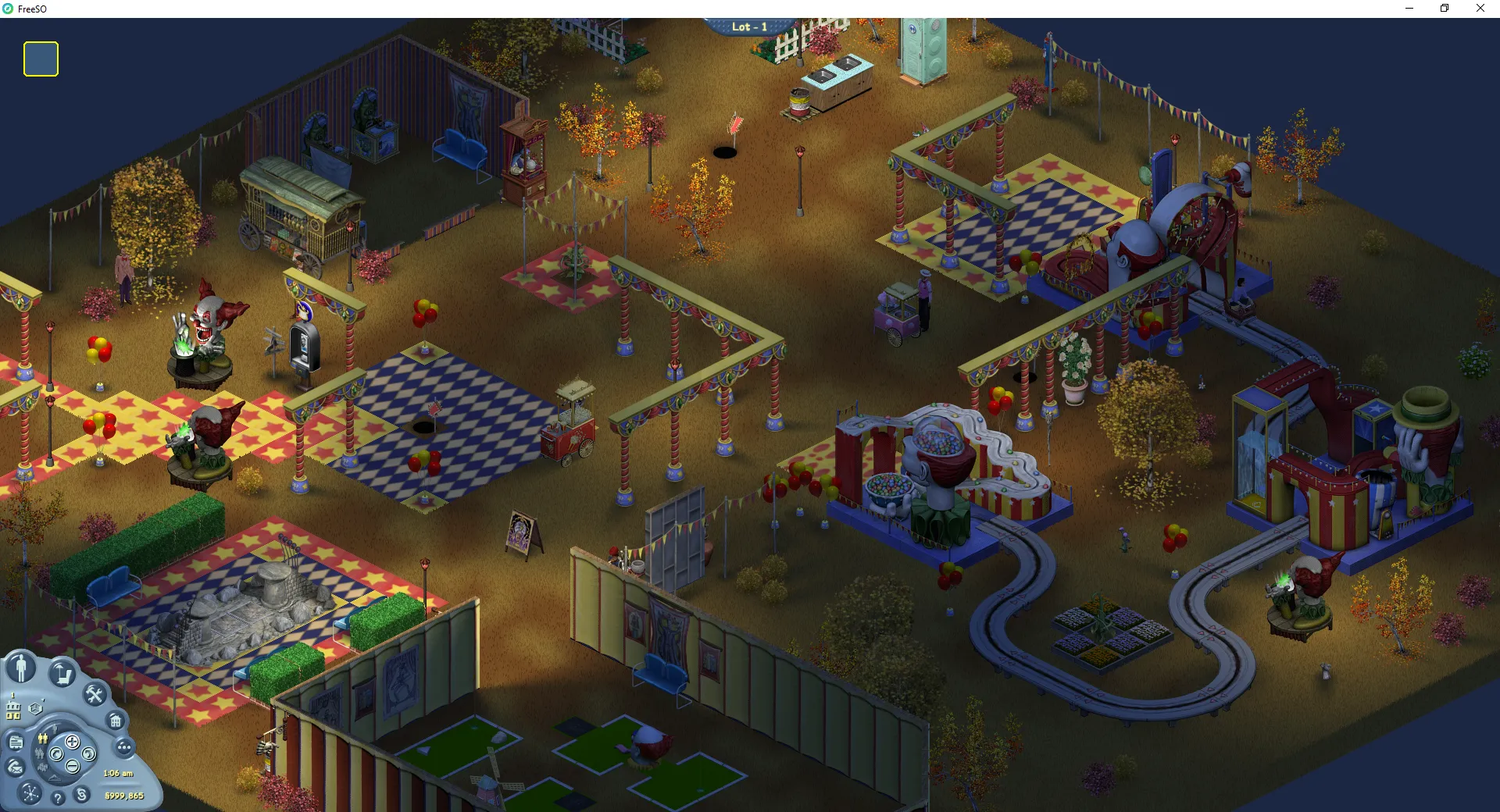
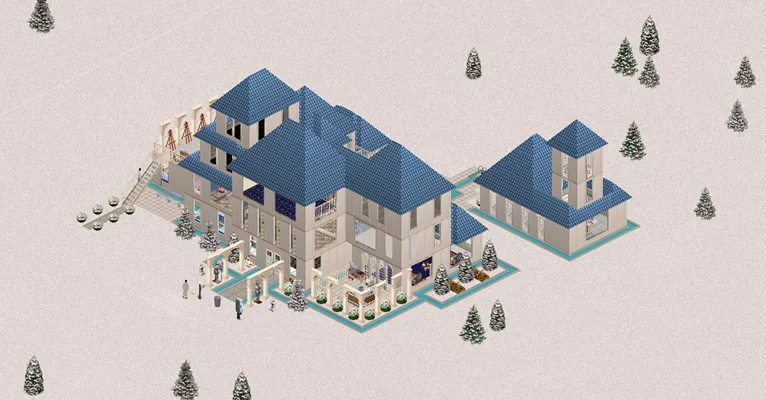
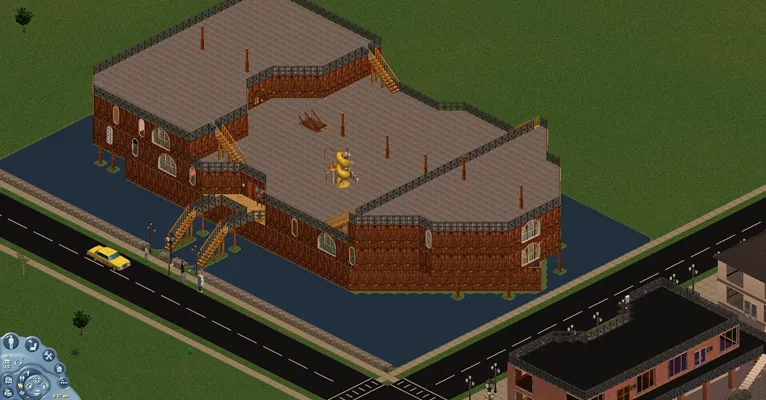
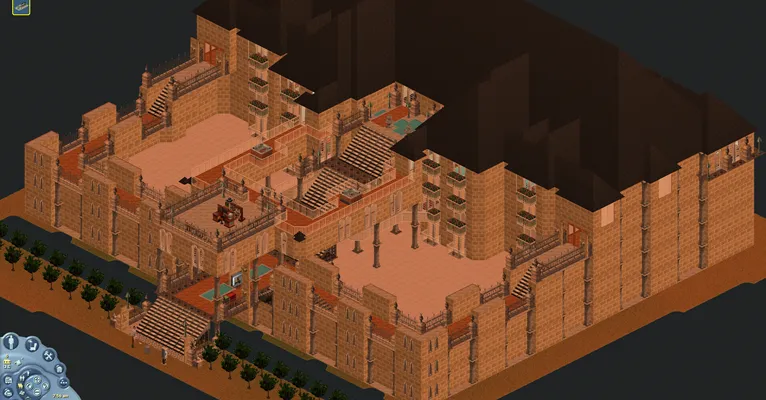
A grassy neighborhood of towering lots A tall lighthouse lot on the beach A three story residence in the snow A lot shaped like a boat A fortress that uses every floor available in FreeSO

Thanks to this load, I was able to track down a ton of issues regarding lots being stuck open (infinite loops and a bad deadlock in the core vm command processor), various performance issues, and we were able to identify that using MariaDB instead of the official MySQL server greatly improves performance due to the way we are using the database. TSOMania has been keeping track of all the client changes: https://www.tsomania.net/

Though the servers are indeed up, and I am occasionally submitting changes, I will not be able to devote myself to programming any large scale features, performance improvements or general enhancements until my Masters project is finished. The game is purely up right now just to give you a chance to play it as-is. However, that doesn’t mean there are no plans for the future!

For now, the focus is on bug fixes and stability. Here are the feature plans for the future - at when I have more time:

  • Nightclub Jobs - these are driven by complex plugins which need to be fully reimplemented from scratch. Reversing how the interactions with the objects has already begun, but the gameplay itself will likely have to be custom designed.
  • Friendship Web - Due to the complexity and weird design of the original system, it’s likely this will take an entirely different form in FreeSO. For example, it might make more sense to be able to perform search queries into your relationships. eg. users who are almost friends, almost enemies, almost max, almost min.
  • Terrain Tools - Yes, it is a priority to support what TSO didn’t - fully featured terrain tools like The Sims 1 had. Only - we are also able to incorporate improvements from other games, such as The Sims 2, where floor tiles could be placed on uneven terrain.
  • Roommate Protocol Improvements - The roommate protocol has remained largely unfinished, due to the amount of time that needs to be put in to get the last few features up to scratch. The main blocker is the issue of deleting lots, or moving a sim out of a lot when the lot is offline. This is complicated because it needs to open the lot for the express purpose of moving objects out of it to user’s inventories, and other issues. Fixing this would also allow users to “Retire Sim”.
  • Sandbox Mode - To both develop the game and allow users to develop custom content, they need some way of manipulating a VM where their client acts as the server as well, so they have full control over the game state. This was possible in legacy, but was left behind with the move to the new networking system. Bringing this back would also let people develop custom gamemodes or more interesting sandbox servers where there are no limits.
  • Inbox - The ingame inbox has been largely forgotton about, as it is not necessary to gameplay. It is useful, though, to have some ingame way of messaging other players that are offline, and keeping track of long term events such as roommate move-in or move-outs.
  • More Plugins - Objects like the Casino Slots, Maze and Band job objects, Draw-A-Card object and Timer object require full reimplementation of their custom UIs and logic. These will be worked on in time, though if you are a programmer these are the ideal place to start!
  • Advanced Lighting - In the vein of The Sims 2, it is possible to bake complex light maps for each floor that allow lighting more complex than we currently have. Specifically, outdoor direct falloff lights, wall shadows, indoor direct falloff lights and perhaps even some rudimentary object shadows. Ensuring the performance of such features will be tricky, but it is also entirely possible to manage on modern hardware.
  • Custom Jobs and Custom Content - To make FSO truly better than TSO ever was, we need a long term way of letting our community improve the game, through new functional objects or new job lots. Already there are two plans for new jobs, which aim to break the boundaries of what was possible in TSO with some new gameplay prospects better fitted to The Sims.

Note: the server will not be wiped for a long time - not until these things and some additional backend work is flattened out.

I hope you’re all enjoying the time so far, and I hope you also enjoy what we might have in store in future!

Rhys

Some of the lots in Sunrise Crater